

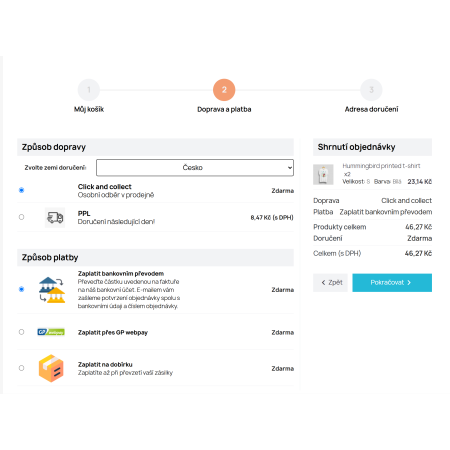
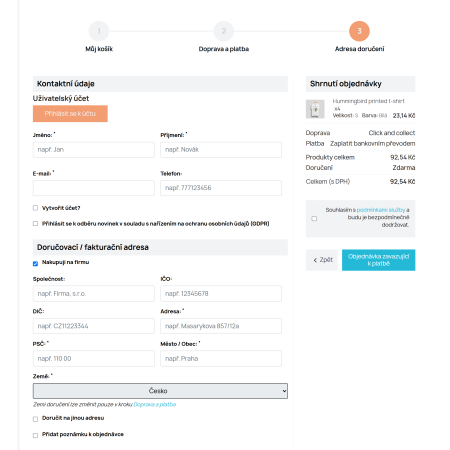
Replaces the default PrestaShop checkout with a clear three-step checkout: cart, shipping and payment, details. Customers see the shipping and payment price before they start filling in their address, and complete the purchase faster.
The support is extended by 12 months from the end of the current support, an expired one from the payment.
Installation, setup and custom changes are a paid service.
The extension is added to a licence in your account.
Sign inWhat it solves
Most carts in online stores are never completed. Some customers are only comparing, but a large group is put off by the checkout itself: too many fields, forced registration or a shipping price they only see at the very end.
The three-step checkout guides customers through the steps they know from large Czech online stores: first the cart, then shipping and payment with prices, and finally their details. Nothing extra, no surprises.
Source: Baymard Institute, 2026. The 18% and 17% shares are reasons for abandoning checkout, excluding customers who were just browsing.
Who it is for
Not sure whether the module works with your carrier module? Write to us and we will check it in advance.
Benefits
Shipping and payment, prices included, come in step two – before customers fill in their details. The summary shows the total price the whole time.
Customers create an account with a single checkbox or buy without one. The module can merge guest orders with a customer account, so no duplicate accounts are created.
The postal code is checked against the country format, the phone number by its length. Optionally, Google verifies the address, and a postal code entered without a space is saved in the correct format.
After checking “I'm buying for a company”, fields for the company name, company ID and VAT ID appear. Other customers are not held up.
Each step has its own URL, so Google Analytics shows how many people get through the cart, shipping and payment, and details.
How it works
The module replaces the default PrestaShop checkout. Your cart, payment modules and carrier modules stay as they are.
Products with availability, quantity changes, discount code and accessory suggestions.
Delivery country, carriers with prices and pickup points, payment methods and order summary.
Contact, sign-in or account creation, address, business purchase, a different delivery address and a note.
Acceptance of the terms and conditions and the “Order with obligation to pay” button.
Rather not do it yourself? We will set it up for you.
Examples
The examples come from a test store running PrestaShop 9 with the default Classic theme. Colors and checkout fields are yours to set.
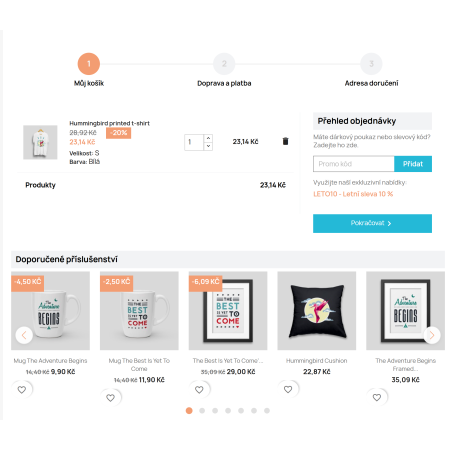
Customers see products with price, discount and availability and can change quantities. On the right is the order overview with a discount code and available discounts; below the cart, recommended accessories.
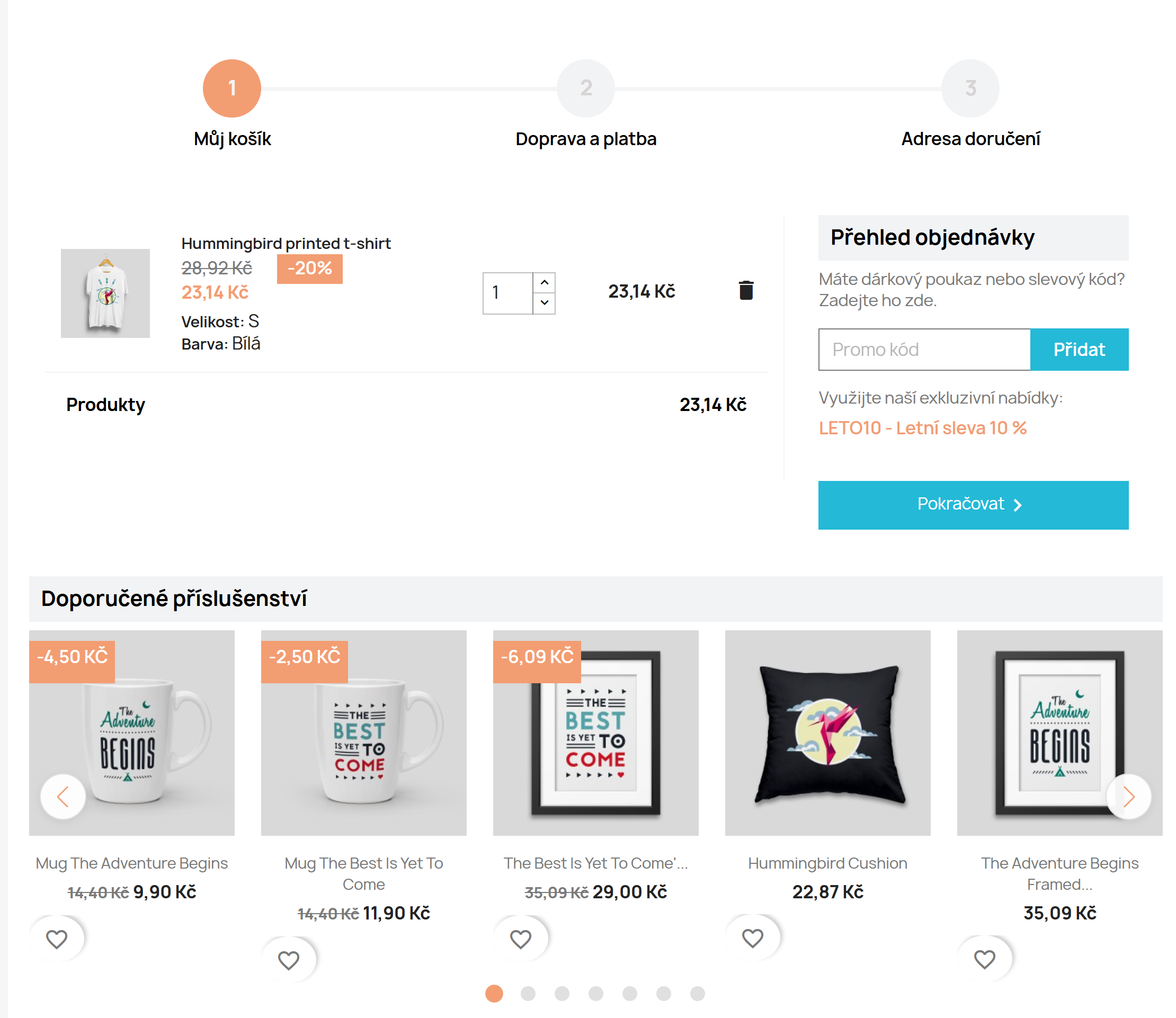
Step 1: My cart
In step two, customers choose the delivery country, carrier and payment. They see prices right next to each option and in the summary on the right – before entering a single detail.
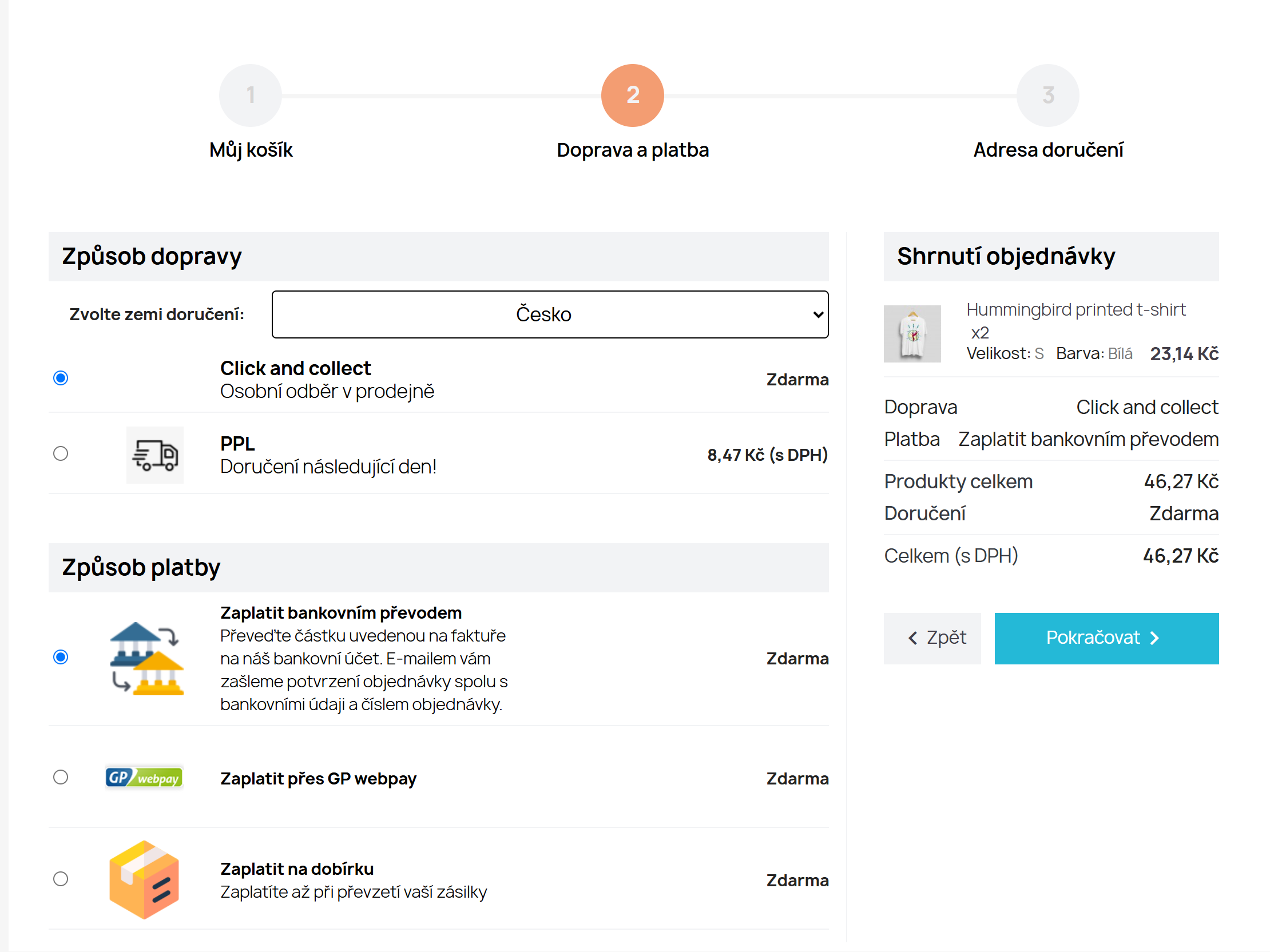
Step 2: Shipping and payment
In step three, customers fill in their contact details and address. They can sign in, create an account, buy for a company, or enter a different delivery address or a note.
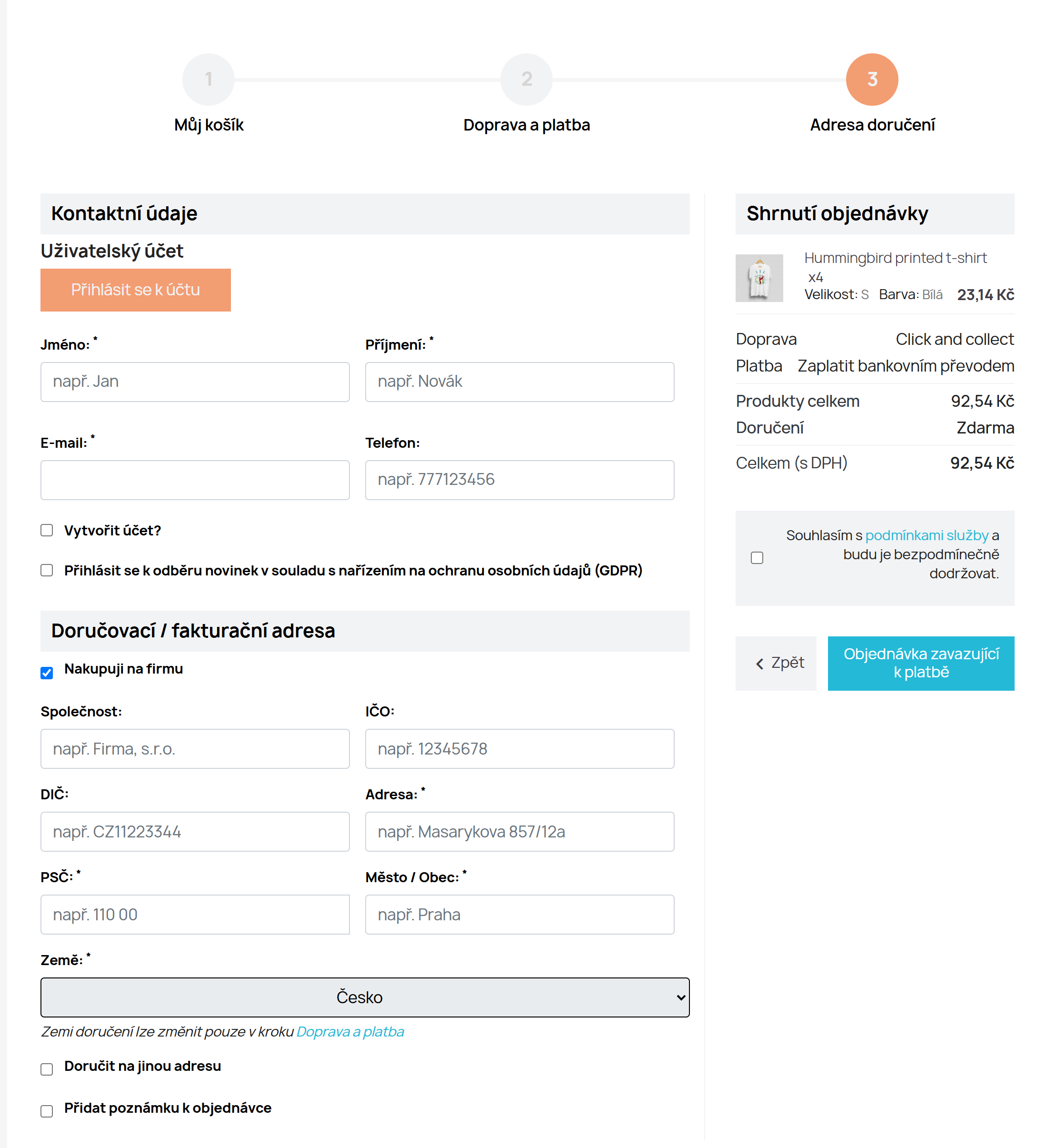
Step 3: Delivery address with business purchase
Turn on everything the checkout should do in one place: a different delivery address, phone prefixes, house number as a separate field, stock information or automatic payment confirmation.
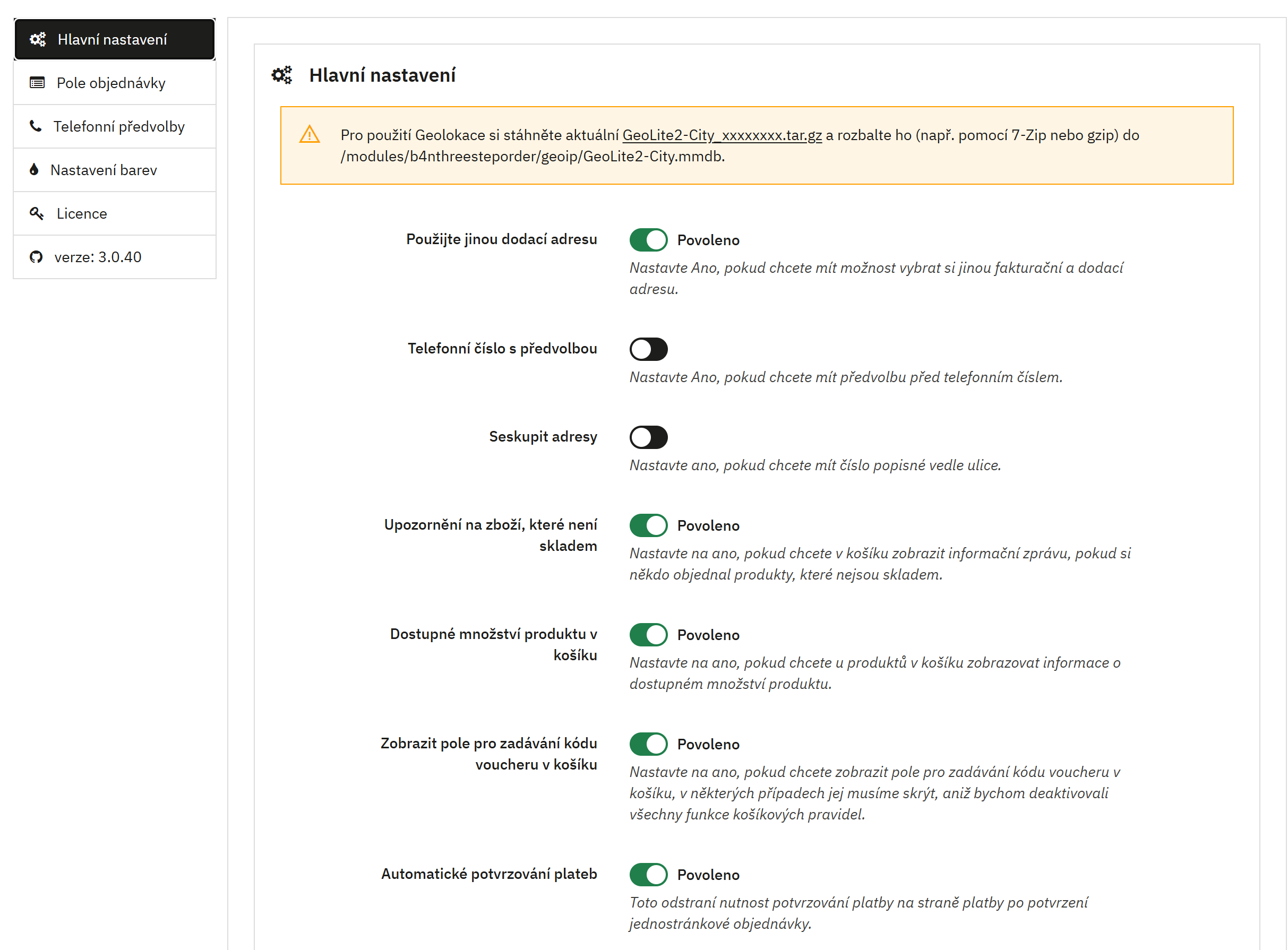
Configure → Main settings
Turn each checkout field on or off and drag to change the order. Edit each field's label and hint in every store language.
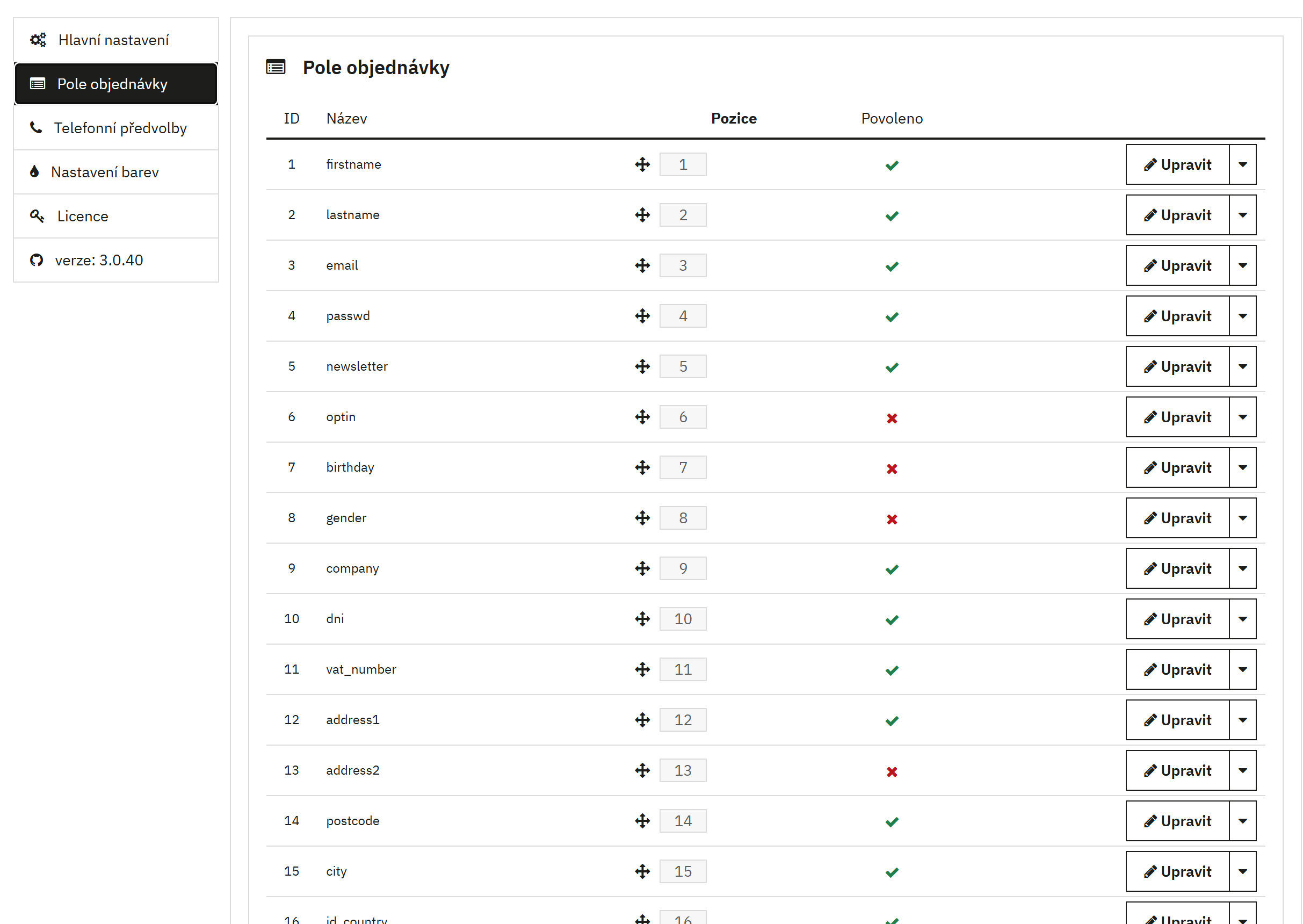
Configure → Order fields
Pick the main and secondary checkout colors with a color picker, without touching the template.
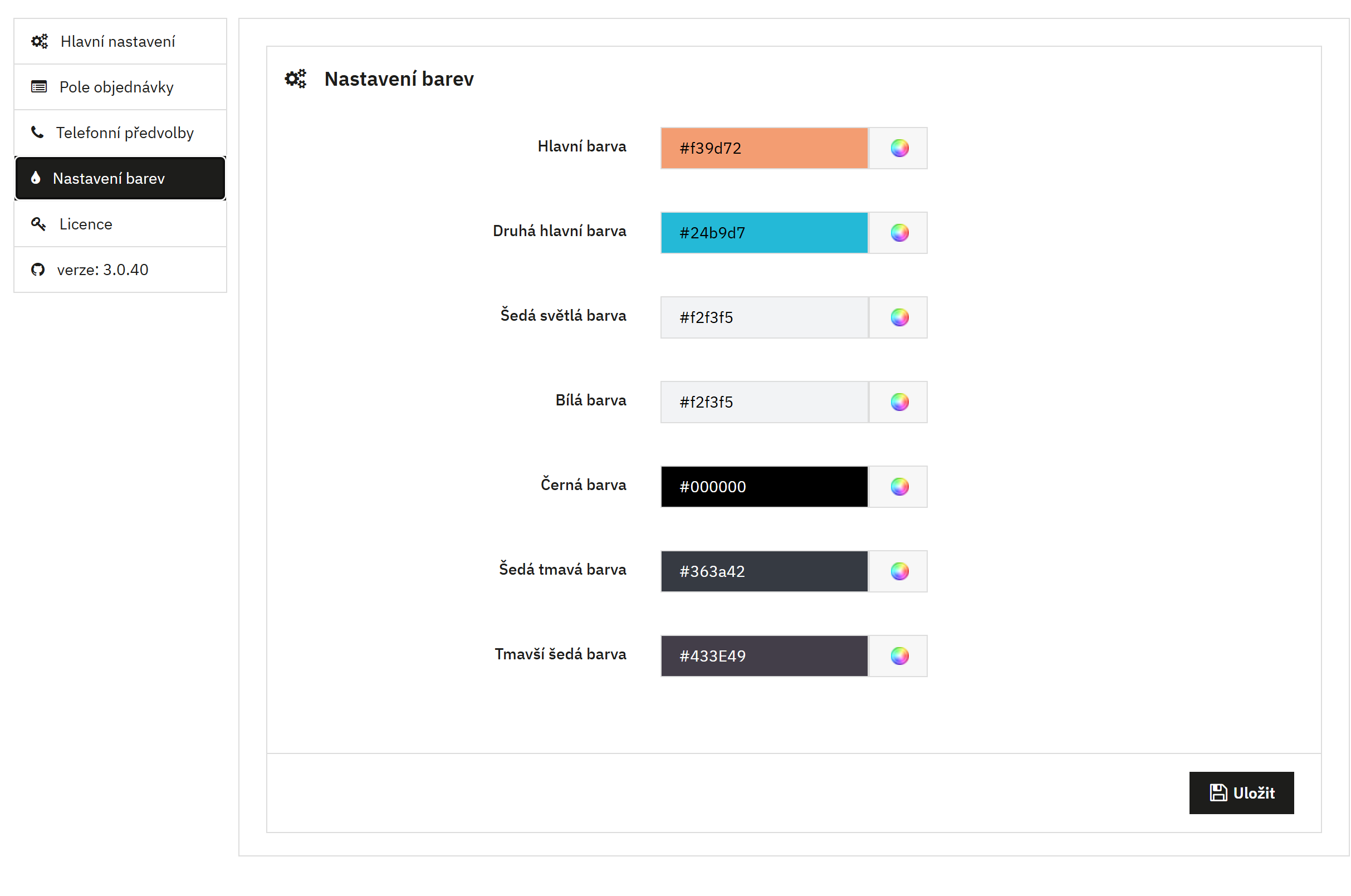
Configure → Color settings
Turnkey installation
The checkout is the most sensitive part of an online store. We install the module, set it up and test it with your carriers and payment methods before your customers see it.
We install the module and set up the fields, colors and checkout behavior to suit your store.
We go through the checkout with your carriers, pickup points and payment modules.
We switch the new checkout on for customers once everything works.
Features
Settings
The configuration is split into four tabs, with a hint for every option.
FAQ
Three steps match what Czech customers know from large online stores: cart, shipping and payment, details. According to Baymard Institute, checkout convenience depends mainly on the number of fields, not the number of steps, and a single page alone does not guarantee better results.
The one-page checkout in PrestaShop 9.2 was released as a beta and does not work with Classic themes without modifications. The three-step checkout works on PrestaShop 1.6 to 9 with the Classic theme and themes derived from it.
Yes, if the carrier module uses the standard PrestaShop hooks to select and validate the pickup point. We have tested, among others, the PPL, GLS, DPD and Balíkovna modules by David Mrózek and the Zásilkovna module. For any other module, write to us and we will check it.
The module renders the checkout with its own templates, so it does not depend on your theme's checkout template. It has been tested with the Classic theme and themes derived from it. Adjust the colors in the settings; larger design changes can be made in the store's theme.
Yes, if guest checkout is enabled in PrestaShop. Customers can then create an account right in the checkout with a single checkbox and a password.
They check “I'm buying for a company” and fields for the company name, company ID and VAT ID appear. Which of them are shown and what they are called is set in the Order fields tab.
Yes. Shipping and payment, prices included, are in step two; the details only come in step three. Customers see the total price in the order summary the whole time.
Each step has its own URL. Use it to set up a funnel in Google Analytics or Google Tag Manager and see how many people get through the cart, shipping and payment, and details.
No. Payment modules work as before. Optionally, you can skip the payment confirmation page that some modules show as an extra step.
Yes. You can order turnkey installation and setup with the module: we install the module, set it up and test it with your carriers and payment methods.
Parameters
| Module label | b4nthreesteporder |
|---|---|
| Module version | 3.0.41 |
| Prestashop version | 1.6, 1.7, 8, 9 |
| Last update | 25. 11. 2026 |
| License validity | Unlimited in time |
| Support | 12 months |
| Localisation | Czech, English, German, Polish, Slovak |
| Minimum PHP version | 7.3 |
| PHP Version | 7.3, 7.4, 8.0, 8.1, 8.2, 8.3 |
Installation, setup and custom changes are a paid service. Custom development
Question about the module
Tell us what you need to solve in your shop. We will advise whether the module helps you, how to set it up and what else you will need.
 Three-step checkout (TSO)