

Extensions
Module code
b4ndeleteorder
Module version
3.2.3
PrestaShop
1.7, 8, 9
Updated
23. 11. 2026

Delete orders in the back office

Adds single and bulk deletion to the order list. Handy for test, canceled and duplicate orders that PrestaShop cannot delete on its own.

  • One or several at once. A trash icon and a bulk action.
  • Nothing left behind. Items, history, messages, returns and credit slips.
  • Payments and invoices your way. You decide in the module.
  • PrestaShop 1.7 to 9.
What you are buying
€59.00
incl. VAT · 48,76 € excl. VAT

Perpetual licence for 1 domain · 12 months of updates and support included

What does the support include?
  • new versions of the module to download in your account
  • answers to your questions about the module by e-mail

Installation, setup and custom changes are a paid service.

€30.00 incl. VAT · €24.79 excl. VAT

The support is extended by 12 months from the end of the current support, an expired one from the payment.

What does the support include?
  • new versions of the module to download in your account
  • answers to your questions about the module by e-mail

Installation, setup and custom changes are a paid service.

The extension is added to a licence in your account.

Sign in
  • Download right after payment
  • We are VAT payers

What it solves

Test, canceled and duplicate orders gone from your back office

Test orders from your store launch, canceled orders, duplicates or orders a customer placed by mistake. PrestaShop cannot delete them, so they stay in your order list and in your statistics.

The module adds deletion of single orders and bulk deletion to the order list. It also deletes the order's items, status history, messages, returns and credit slips, and optionally its payments and invoices.

Who it is for

Is this module right for you?

It is for you if

  • you have test or canceled orders in your back office,
  • you need to remove duplicate orders or orders created by mistake,
  • you want clean sales statistics,
  • you run PrestaShop 1.7 to 9.

You do not need it if

  • setting the order to the Canceled status is enough for you,
  • you need to restore deleted orders – deletion cannot be undone.

You can keep the order's invoices and payments when deleting it. This is useful where a document has been issued and you have to archive it.

Benefits

A clear order list and statistics without test orders

Delete one or many

A trash icon next to each order and the bulk action “Delete selected orders”.

Nothing left behind

Along with the order, its items, status history, shipping, discounts, messages, returns and credit slips are removed.

Payments and invoices your way

Choose in the module whether the order's payments and invoices are deleted too.

Other orders stay unchanged

The numbers and references of other orders do not change.

Examples

Examples

Deleting in the order list

Screenshots are from a test store running PrestaShop 9.

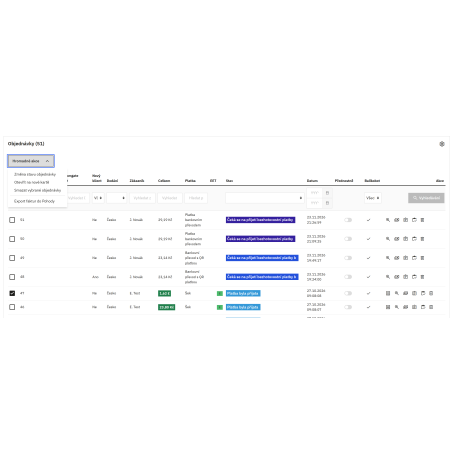
Bulk deletion

Select the orders and choose “Delete selected orders” in the bulk actions. To delete a single order, click the trash icon in its row.
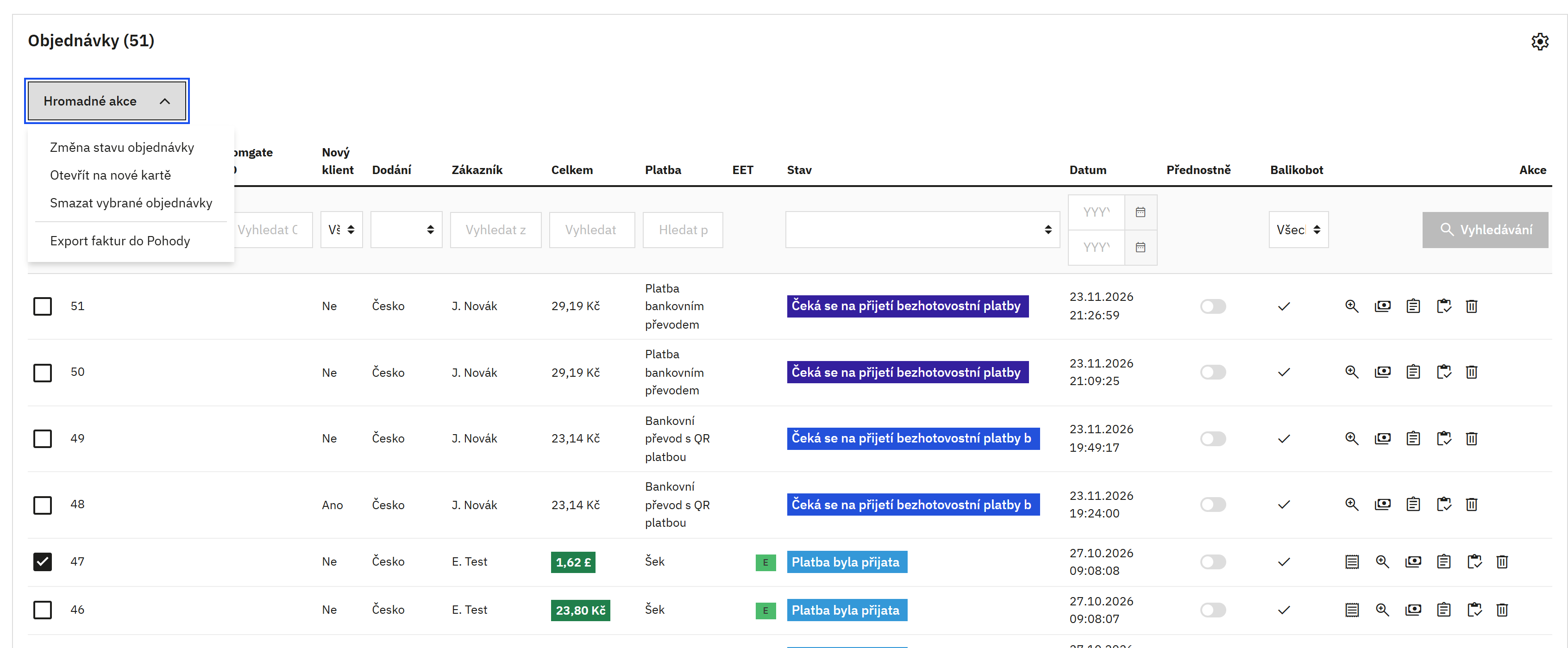
The Delete selected orders bulk action in the order list

Orders > Orders

What gets deleted

Choose whether the order's payments and invoices are deleted along with it.
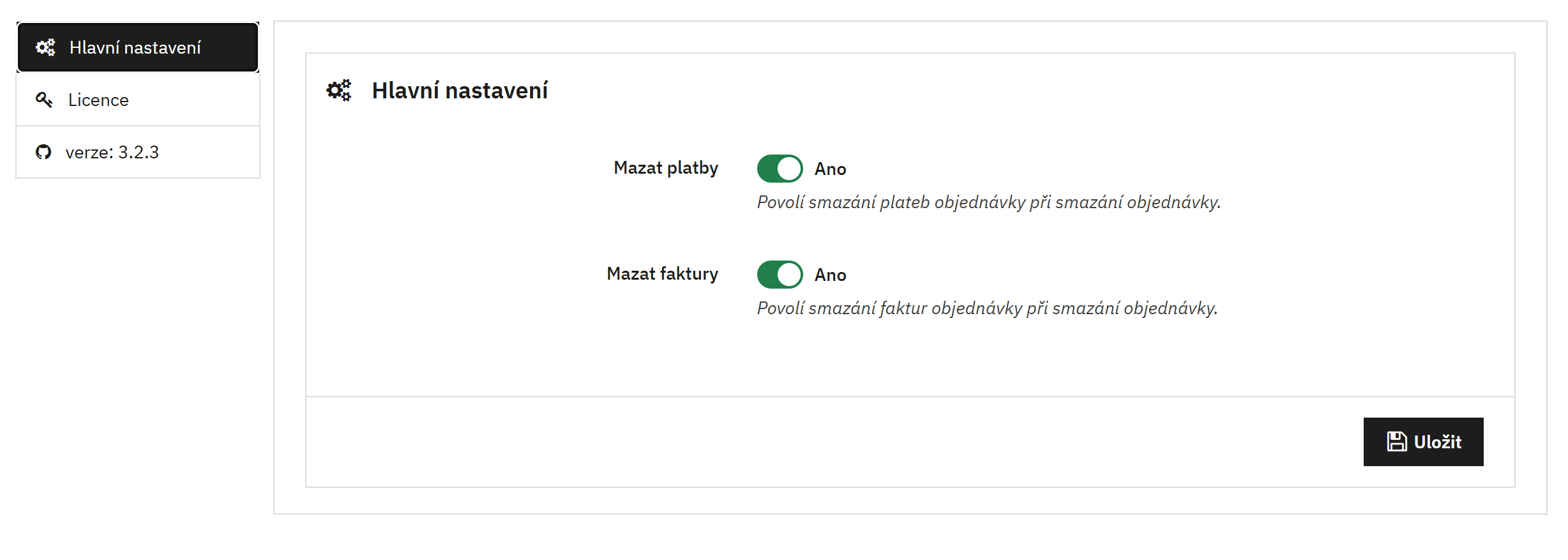
Settings for deleting payments and invoices

Configure > Main settings

Features

Everything the module can do

Deletion

  • a single order from the list
  • selected orders in bulk
  • items, history, shipping, discounts, messages
  • returns and credit slips

Settings

  • delete the order's payments
  • delete the order's invoices

Back office

  • PrestaShop 1.7, 8 and 9
  • Czech, Slovak, Polish, German, English

Version history

  • 3.2.3 · 23 Nov 2026Core update: the settings now warn about missing data and confirm saving.
  • 3.2.2 · 22 Nov 2026Security fix and module core update.
  • 3.2.1 · 29 Jul 2026Fix of an unwanted parameter in links to the shop's language versions.
  • 3.2.0 · 15 Jul 2026Complete order deletion including all related data, without reusing order numbers.
  • 3.1.1 · 12 Apr 2026Minor fixes and improvements.

FAQ

Questions you ask us

Which orders make sense to delete?

Test, canceled, duplicate orders or orders created by mistake. If an invoice was issued for the order and you have to archive it, turn off deleting invoices and payments in the module.

Are the invoice and payment deleted too?

That depends on the settings. You turn deleting payments and invoices on or off in the module.

Are the products returned to stock?

No, the module does not change stock levels. If you need that, cancel the order before deleting it.

Can a deleted order be restored?

No, deletion cannot be undone. Back up your database before deleting orders in bulk.

Are the other orders renumbered?

No, the numbers and references of the other orders stay the same.

Parameters

Technical details

Module labelb4ndeleteorder
Module version3.2.3
Prestashop version1.7, 8, 9
Last update23. 11. 2026
License validityUnlimited in time
Support12 months
LocalisationCzech, English, German, Polish, Slovak
Minimum PHP version7.3
PHP Version7.3, 7.4, 8.0, 8.1, 8.2, 8.3

What the price includes

  • module for PrestaShop 1.7, 8, 9
  • perpetual licence for 1 domain
  • 12 months of new versions to download in your account
  • 12 months of answers to your questions about the module by e-mail
  • help inside the module and a setup guide
  • invoice with VAT

Installation, setup and custom changes are a paid service. Custom development

Question about the module

Do you have a question about the module?

Tell us what you need to solve in your shop. We will advise whether the module helps you, how to set it up and what else you will need.

Product inquiry

Satisfaction
guarantee
Professional
approach
Technical
support
Online
payment

Get our latest news and special sales

You may unsubscribe at any moment. For that purpose, please find our contact info in the legal notice.