

Extensions
Module code
b4nproductcombinationenabledisable
Module version
3.0.13
PrestaShop
1.7, 8, 9
Updated
24. 11. 2026

Enable and disable product combinations

Adds an Active switch to product combinations. Turn a variant off temporarily and it disappears from the store, while its price, reference, EAN and images stay intact.

  • Disable, don't delete. All combination data is kept.
  • Hidden in the store. Customers cannot select a disabled variant.
  • Products without variants get disabled. Optional.
  • PrestaShop 1.7 to 9.
What you are buying
€59.00
incl. VAT · 48,76 € excl. VAT

Perpetual licence for 1 domain · 12 months of updates and support included

What does the support include?
  • new versions of the module to download in your account
  • answers to your questions about the module by e-mail

Installation, setup and custom changes are a paid service.

€30.00 incl. VAT · €24.79 excl. VAT

The support is extended by 12 months from the end of the current support, an expired one from the payment.

What does the support include?
  • new versions of the module to download in your account
  • answers to your questions about the module by e-mail

Installation, setup and custom changes are a paid service.

The extension is added to a licence in your account.

Sign in
  • Download right after payment
  • We are VAT payers

What it solves

Disable a variant instead of deleting it

You temporarily stop producing size XL, or you take a color off sale. PrestaShop cannot disable a combination, only delete it – along with its price, reference, EAN and images.

The module adds a switch to every combination in the back office. A disabled combination disappears from the store but keeps all its settings, so you can bring it back later with one click.

Who it is for

Is this module right for you?

It is for you if

  • you sell products in variants (size, color, version),
  • you temporarily do not offer some variants,
  • you do not want to lose their prices and references,
  • you run PrestaShop 1.7 to 9.

You do not need it if

  • hiding out-of-stock variants is enough – PrestaShop can do that on its own,
  • you run PrestaShop 1.6.

Benefits

A range free of unsellable variants

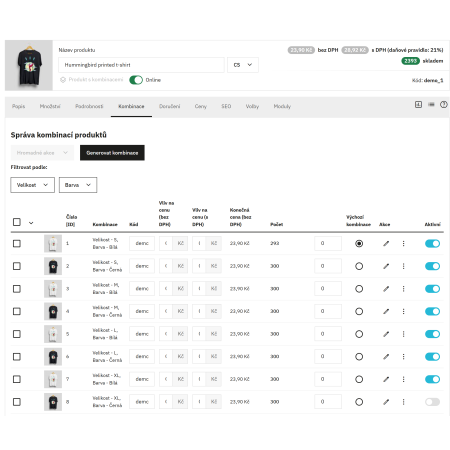
A switch for each combination

Right in the product's combination list, in the Active column.

Nothing gets deleted

Price, reference, EAN, stock and images stay. Turn the combination back on whenever you like.

Customers won't see it

The store does not offer a disabled combination, so customers cannot select or order it.

Products without variants are disabled

When you disable all combinations, the module can optionally disable the product too.

Examples

Examples

The combination switch and settings

The examples come from a test store running PrestaShop 9.

Product combinations

An Active column appears in the combination list. In the example, size XL in black is disabled.
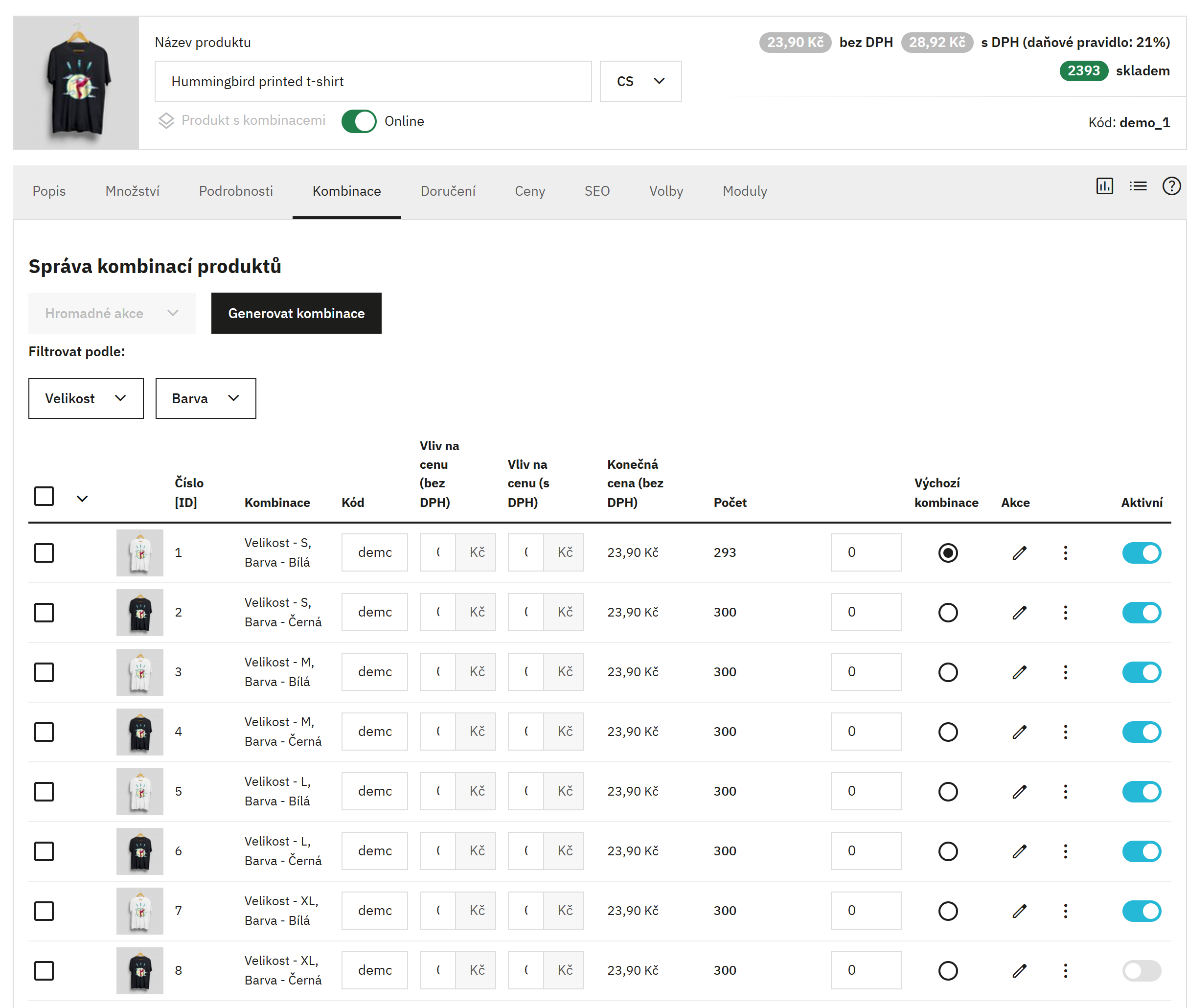
  • switch without saving the product,
  • all other combination data stays.
Active switch for product combinations in the back office

Catalog → Product → Combinations

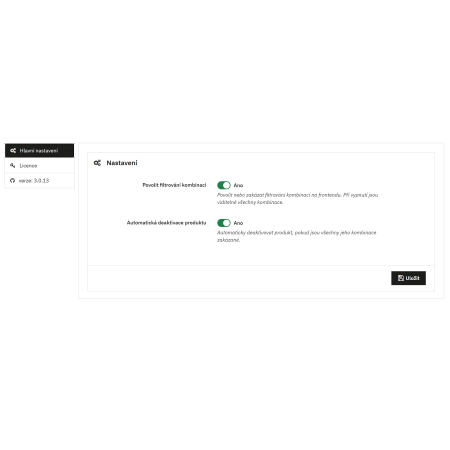
Settings

Filtering of disabled combinations in the store and automatic disabling of a product that has no active combination left.
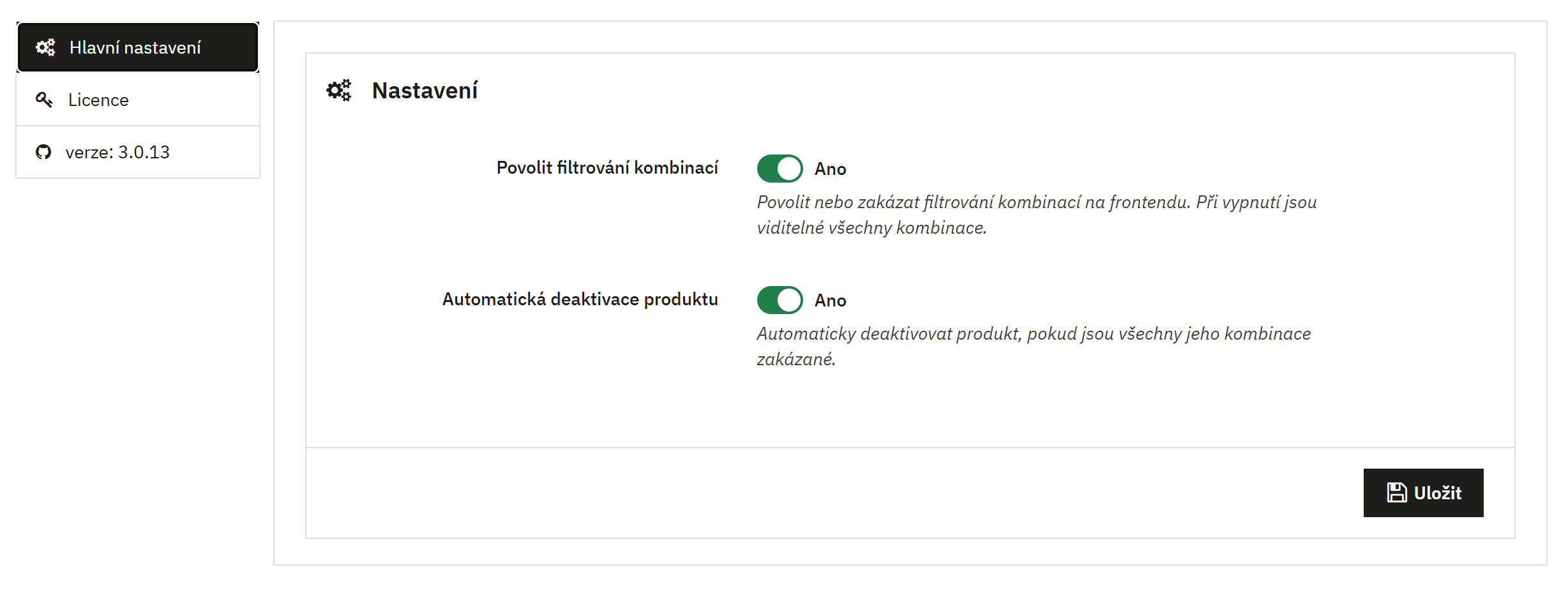
Module settings for combinations

Configure → Main settings

Features

Everything the module can do

Combinations

  • enabling and disabling a combination
  • no data deleted
  • disabled combinations hidden in the store

Product

  • automatic disabling of products without active combinations
  • filtering can be turned off with one switch

Back office

  • PrestaShop 1.7, 8 and 9
  • Czech, Slovak, Polish, German, English

Version history

  • 3.0.13 · 24 Nov 2026Translated header of the on/off column in the combinations list.
  • 3.0.12 · 24 Nov 2026Fixed Czech module description and uninstall confirmation question.
  • 3.0.11 · 23 Nov 2026Core update: the settings now warn about missing data and confirm saving.
  • 3.0.10 · 22 Nov 2026Added missing translations, module core update and security fix.
  • 3.0.7 · 29 Jul 2026Fix for an unwanted parameter in links to language versions of pages.

FAQ

What you ask us

Does a disabled combination keep its price and stock?

Yes. The module only hides the combination and deletes nothing. Once you turn it back on, it returns with all its settings.

What happens if I disable all combinations?

If automatic product disabling is on, the module disables the product too. Otherwise, the product stays online with no variants to choose from.

Can't PrestaShop do this on its own?

PrestaShop can only hide out-of-stock variants, and only for the whole store. It cannot disable a specific combination.

Does it work on PrestaShop 1.6?

No, the module is for PrestaShop 1.7, 8 and 9.

Parameters

Technical details

Module labelb4nproductcombinationenabledisable
Module version3.0.13
Prestashop version1.7, 8, 9
Last update24. 11. 2026
License validityUnlimited in time
Support12 months
LocalisationCzech, English, German, Polish, Slovak
Minimum PHP version7.3
PHP Version7.3, 7.4, 8.0, 8.1, 8.2, 8.3

What the price includes

  • module for PrestaShop 1.7, 8, 9
  • perpetual licence for 1 domain
  • 12 months of new versions to download in your account
  • 12 months of answers to your questions about the module by e-mail
  • help inside the module and a setup guide
  • invoice with VAT

Installation, setup and custom changes are a paid service. Custom development

Question about the module

Do you have a question about the module?

Tell us what you need to solve in your shop. We will advise whether the module helps you, how to set it up and what else you will need.

Product inquiry

Satisfaction
guarantee
Professional
approach
Technical
support
Online
payment

Get our latest news and special sales

You may unsubscribe at any moment. For that purpose, please find our contact info in the legal notice.