
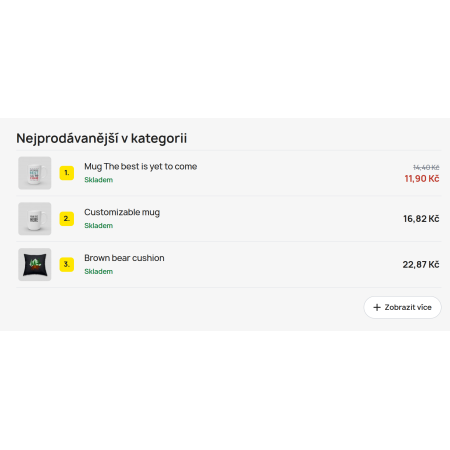
A best-sellers block right on the category page. It shows what customers buy most often from the category and its subcategories, and lets them expand the rest with a button.
The support is extended by 12 months from the end of the current support, an expired one from the payment.
Installation, setup and custom changes are a paid service.
The extension is added to a licence in your account.
Sign inWhat it solves
Customers in a category instantly see what others buy most. The module adds up sales from the category and all its subcategories and shows them in a clear ranking above or below the product listing.
Version 3 has been rewritten from the ground up: it picks the products with a single query over the category tree and caches the selection, so even large categories stay fast.
Who it is for
Benefits
The ranking counts the category and all its subcategories, not just the products placed directly in it.
One query over the category tree and a cached selection (60 minutes by default).
PrestaShop calculates prices and discounts, and customers see only products available to their group.
How it works
Above the listing, below it or a custom spot in the template. On PrestaShop 1.6, a hook in the category template.
By quantity sold, from the category and its subcategories, optionally in-stock only.
With the Show more button, on mobile too and without JavaScript.
Examples
The examples come from a test store running PrestaShop 9 with the Hummingbird theme.
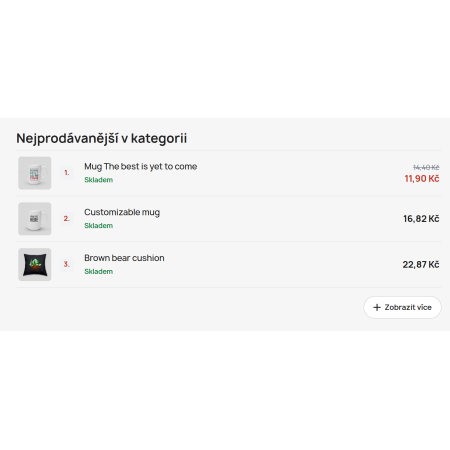
Rank, image, name, stock status and price. Discounted products also show the original price.

Accessories category – block above the listing
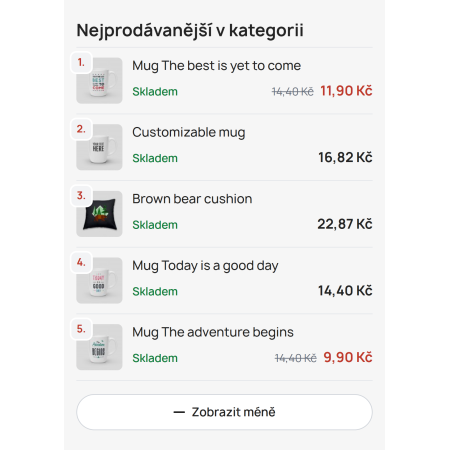
Rank on the image, stock status and price on one line under the name, full-width button.
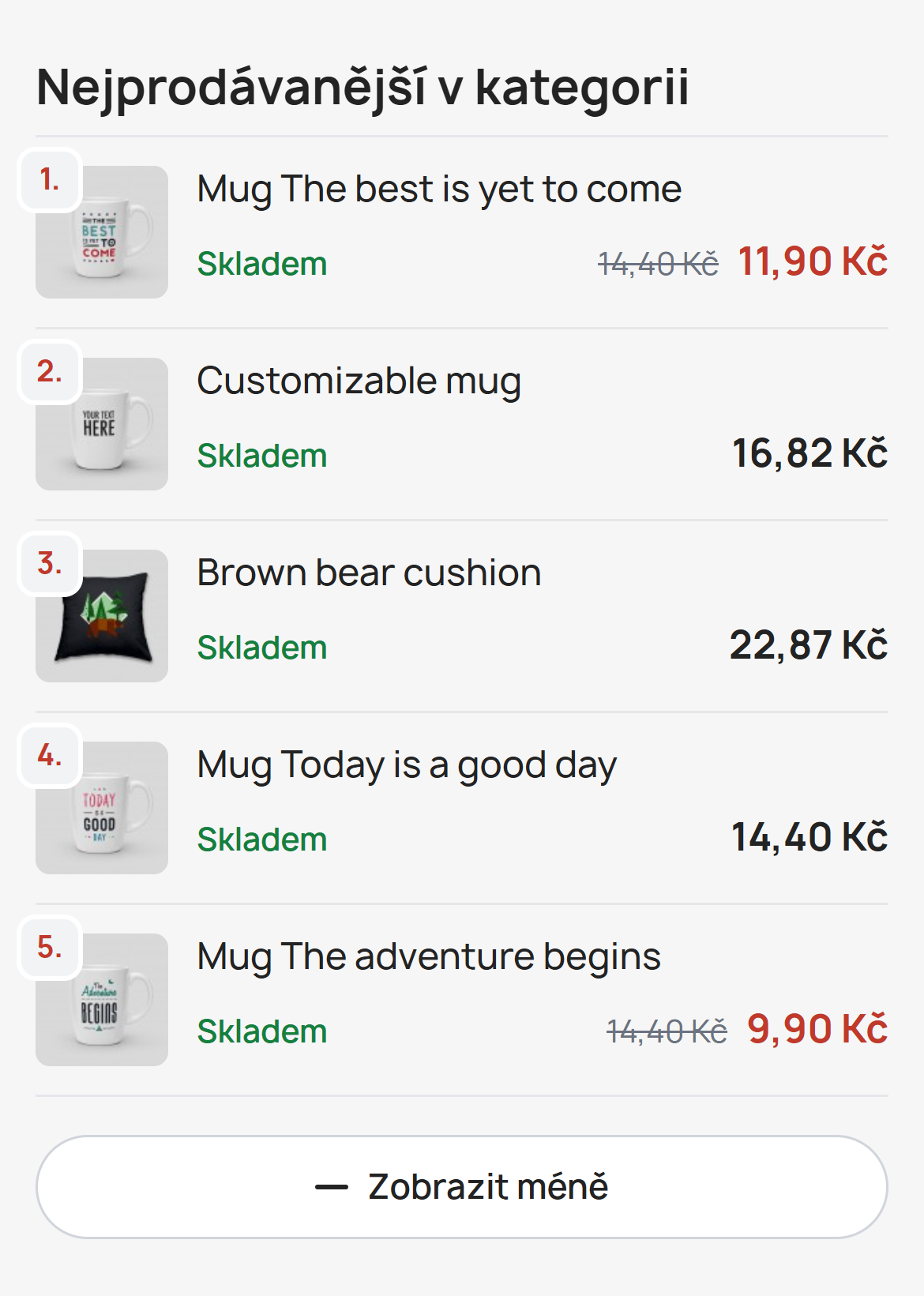
Mobile – expanded ranking
Set the background and rank number colors in the Appearance tab, along with the block heading in each language and whether to show images.
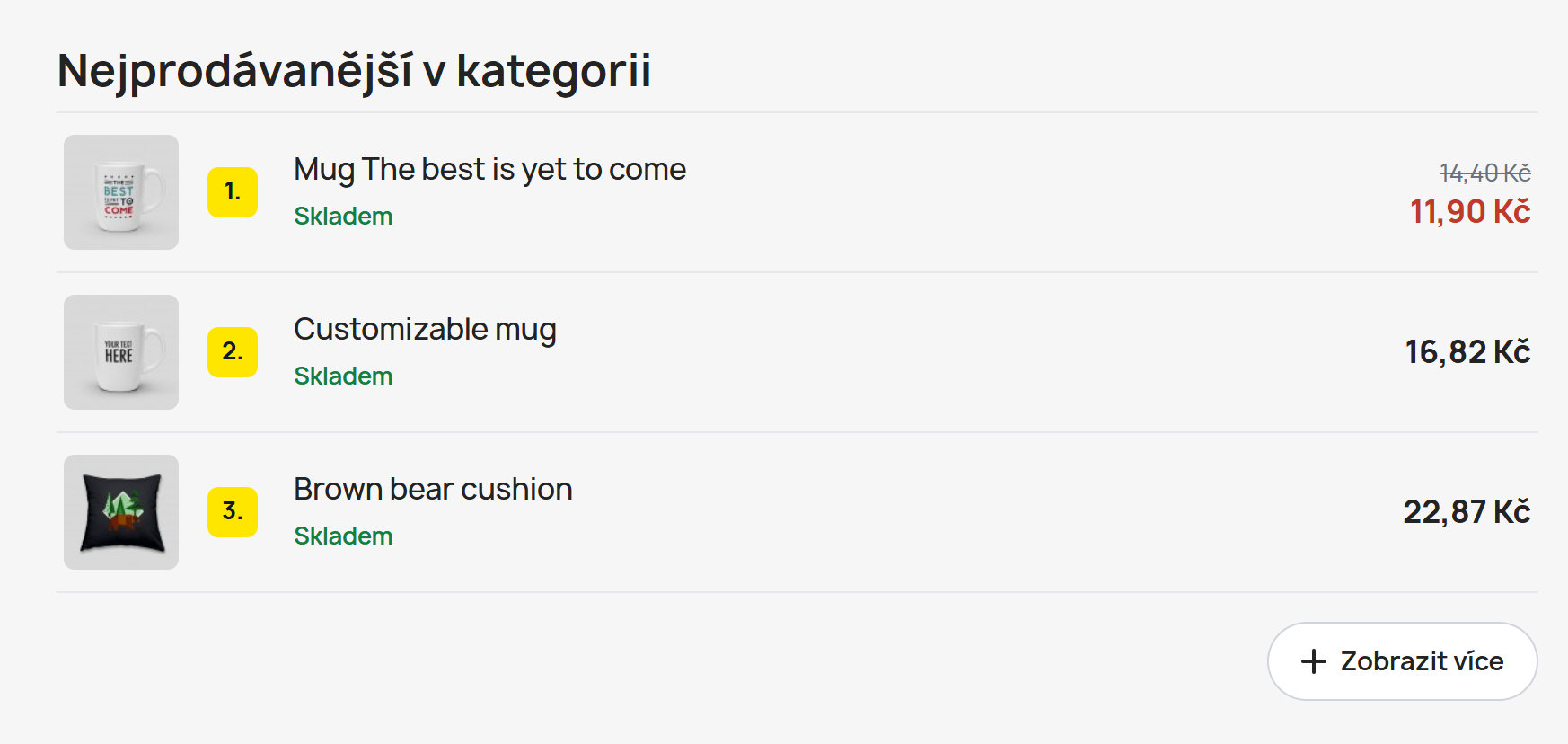
Custom rank colors – yellow and black
Number of products shown right away and in total, in-stock products only, block placement and how long the selection stays cached.
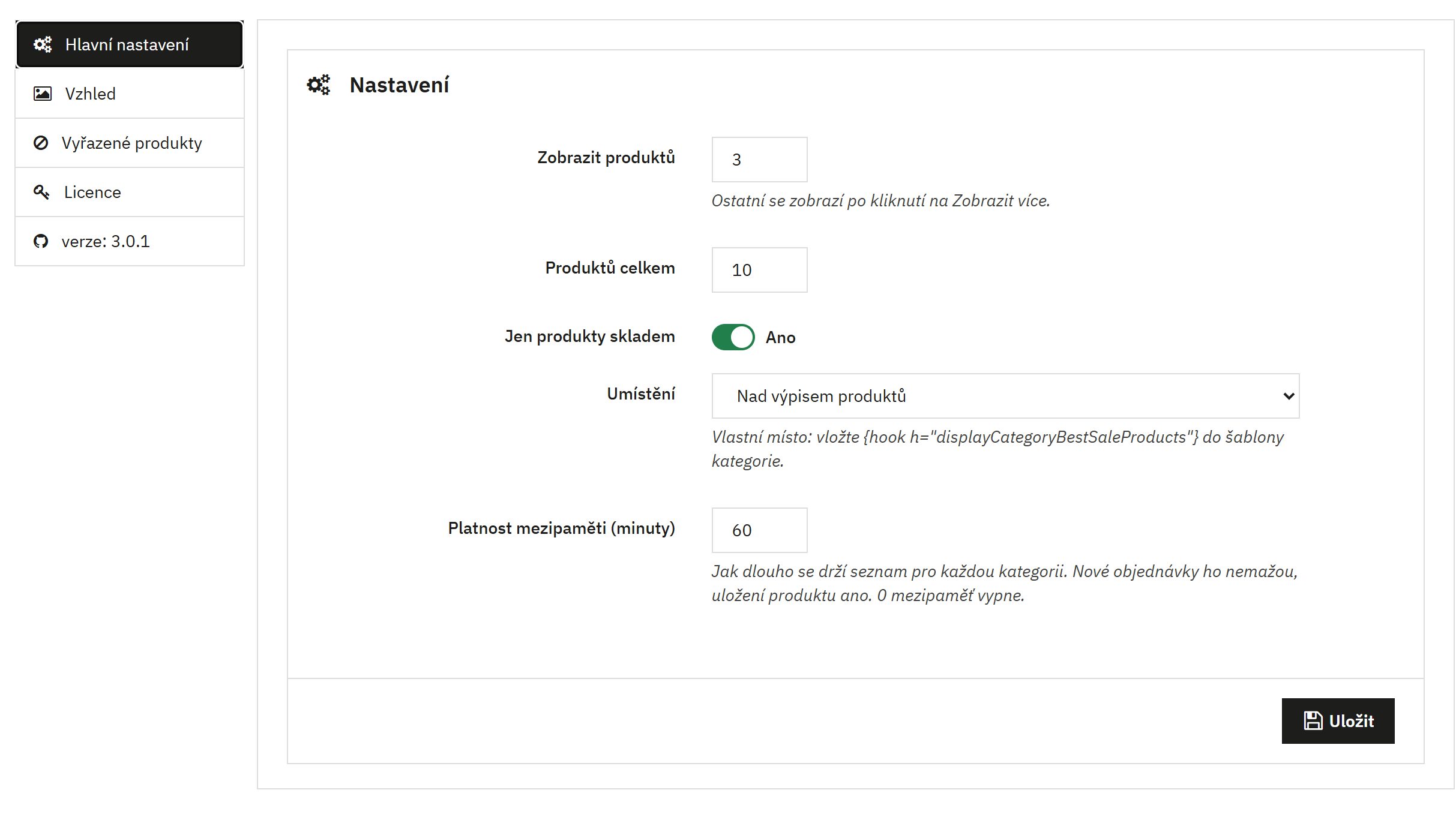
Configure → Main settings
Leave out products that do not belong among the best sellers – by ID in the settings or with a checkbox in the Modules tab of the product page.
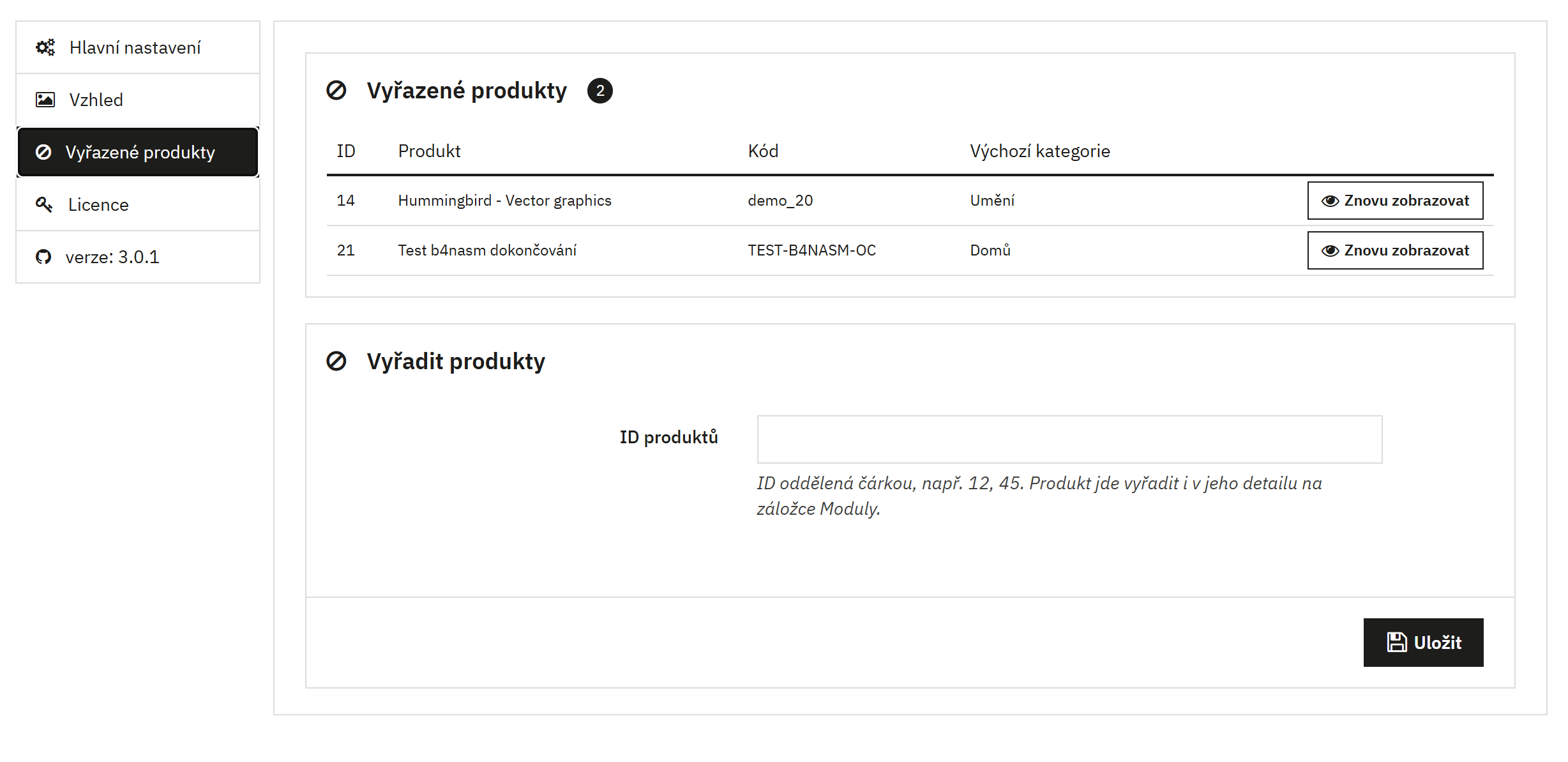
Configure → Excluded products
Features
FAQ
By total quantity sold, taken from PrestaShop's sales table, for the category and all its subcategories.
No, on purpose. The selection refreshes when the cache expires (60 minutes by default) or when a product is saved, so orders do not slow down category pages.
On the product page, in the Modules tab, check Do not show among category best sellers, or enter the product IDs in the module settings.
No. The block shows only active products visible in the catalog, from categories the customer's group can access.
Insert the hook {hook h="displayCategoryBestSaleProducts" category=$category} into the category template (category.tpl). On PrestaShop 1.7 to 9, just choose the placement in the settings.
No. The migration script renames the module in place and keeps the product counts, hook positions and excluded products.
Parameters
| Module label | b4ncategorybestsaleproducts |
|---|---|
| Module version | 3.0.2 |
| Prestashop version | 1.6, 1.7, 8, 9 |
| Last update | 26. 11. 2026 |
| License validity | Unlimited in time |
| Support | 12 months |
| Localisation | Czech, English, German, Polish, Slovak |
| Minimum PHP version | 7.3 |
| PHP Version | 7.3, 7.4, 8.0, 8.1, 8.2, 8.3 |
Installation, setup and custom changes are a paid service. Custom development
Question about the module
Tell us what you need to solve in your shop. We will advise whether the module helps you, how to set it up and what else you will need.
 Best-selling products in category