

Marketing
Module code
b4ncmssidebarconfiguration
Module version
3.0.10
PrestaShop
1.6, 1.7, 8, 9
Updated
23. 11. 2026

Show / hide sidebar on CMS pages

For each CMS page, you decide whether it has a left and a right sidebar. Long texts read across the full width, and where a sidebar is useful, you keep it.

  • Two switches per page. Left and right sidebar for each CMS page.
  • All pages in one table. Grouped by CMS category, saved at once.
  • No theme changes. The module uses the layouts your theme already has.
  • PrestaShop 1.6 to 9.
What you are buying
€59.00
incl. VAT · 48,76 € excl. VAT

Perpetual licence for 1 domain · 12 months of updates and support included

What does the support include?
  • new versions of the module to download in your account
  • answers to your questions about the module by e-mail

Installation, setup and custom changes are a paid service.

€30.00 incl. VAT · €24.79 excl. VAT

The support is extended by 12 months from the end of the current support, an expired one from the payment.

What does the support include?
  • new versions of the module to download in your account
  • answers to your questions about the module by e-mail

Installation, setup and custom changes are a paid service.

The extension is added to a licence in your account.

Sign in
  • Download right after payment
  • We are VAT payers

What it solves

Sidebars set separately for each CMS page

In PrestaShop, you can only set the layout for all CMS pages at once. Terms and conditions, contact details and landing pages all get the same sidebars, even though each would suit something different.

The module gives you two switches for each CMS page: left and right sidebar. Text reads across the full width, and where a sidebar is useful, you keep it.

Who it is for

Is this module right for you?

It is for you if

  • you want long texts (terms, complaints procedure) across the full width,
  • on other pages you want to keep a sidebar with categories or a banner,
  • your theme has a left or right column,
  • you run PrestaShop 1.6 to 9.

You do not need it if

  • one layout for all CMS pages is enough for you,
  • you want to change the layout of products or categories – the module handles CMS pages.

Benefits

Every page laid out for the best reading

Two switches per page

Turn the left and right sidebar on or off for each CMS page separately.

Overview in one place

All CMS pages by category in one table, saved at once.

Theme layouts

The module uses the layouts your theme has: full width, left, right or both columns.

No theme changes

No copying templates for individual pages. On PrestaShop 1.7 to 9, just install the module.

How it works

From switch to page

  1. You choose the sidebars

    For each CMS page, turn on the left and right sidebar.

  2. You save

    One save for all pages.

  3. The page is displayed

    The module picks the theme layout according to your settings.

What you do once

  • go through the CMS pages in the table,
  • turn the sidebars on or off for each one,
  • save.

Rather not do it yourself? We will set it up for you.

What the module then does on its own

  • picks the layout for each CMS page,
  • keeps both sidebars on for new pages.

What the module does not do

  • it does not fill the sidebars with content – that comes from the modules in the theme positions,
  • it does not change the layout of products and categories.
Examples

Examples

Settings and the result on your site

Screenshots come from a PrestaShop 9 test store with the Classic theme.

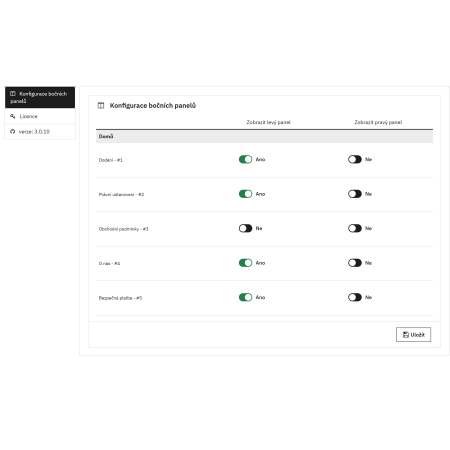
All CMS pages in one table

Pages are sorted by CMS category. Each one has two switches: left and right sidebar.
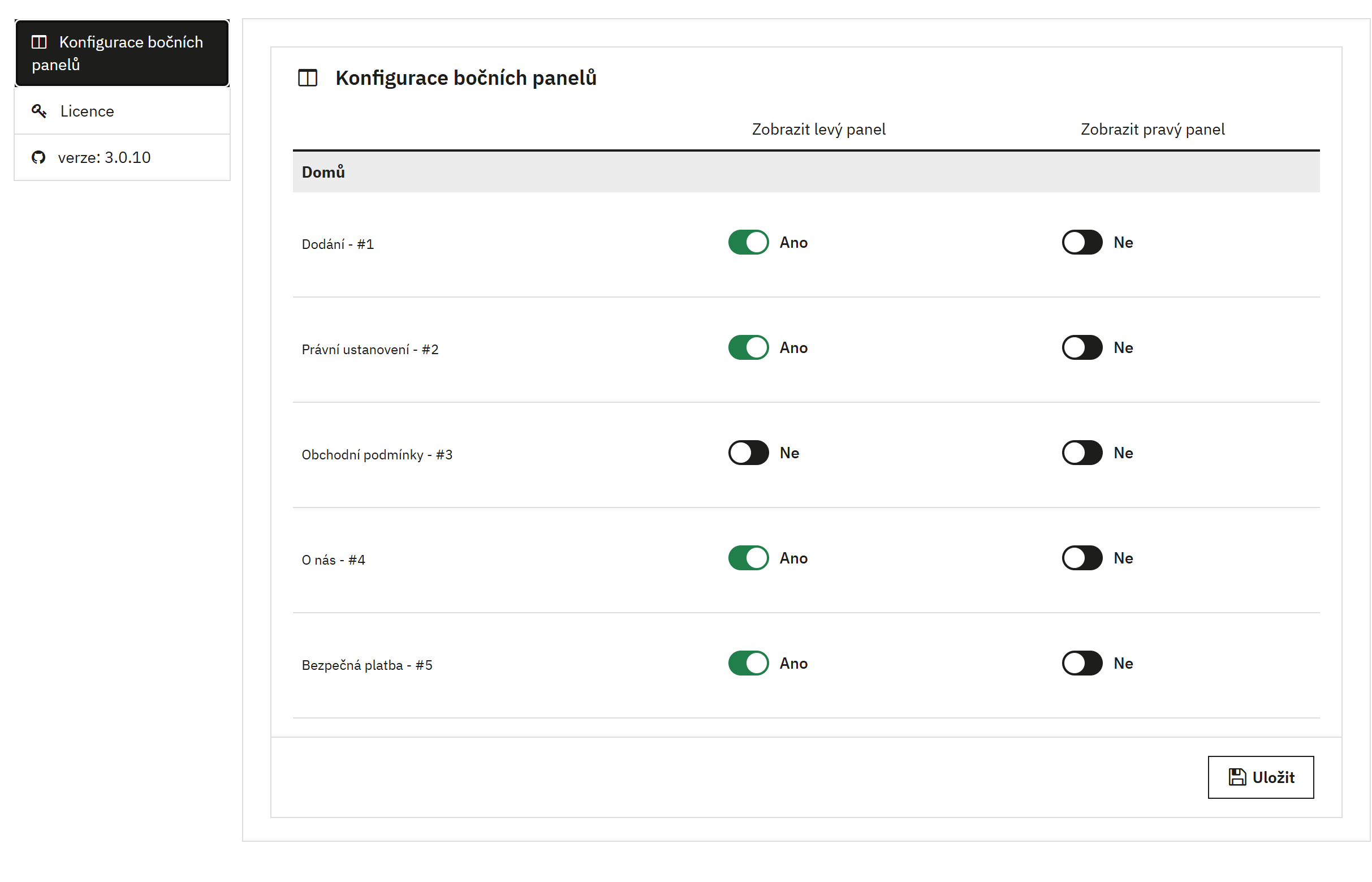
  • save all pages at once,
  • page ID next to the name.
Sidebar settings for individual CMS pages

Configure → Sidebar configuration

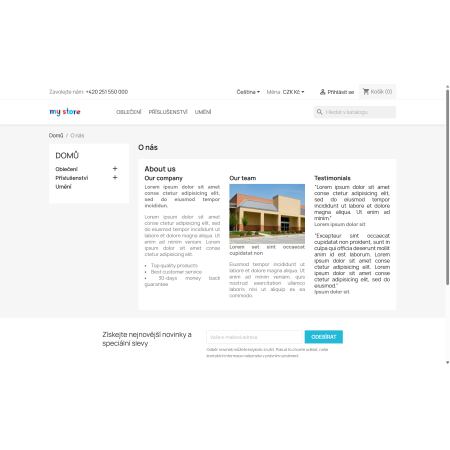
Page with a left sidebar

The “About us” page kept the left sidebar with categories; the right one is turned off.
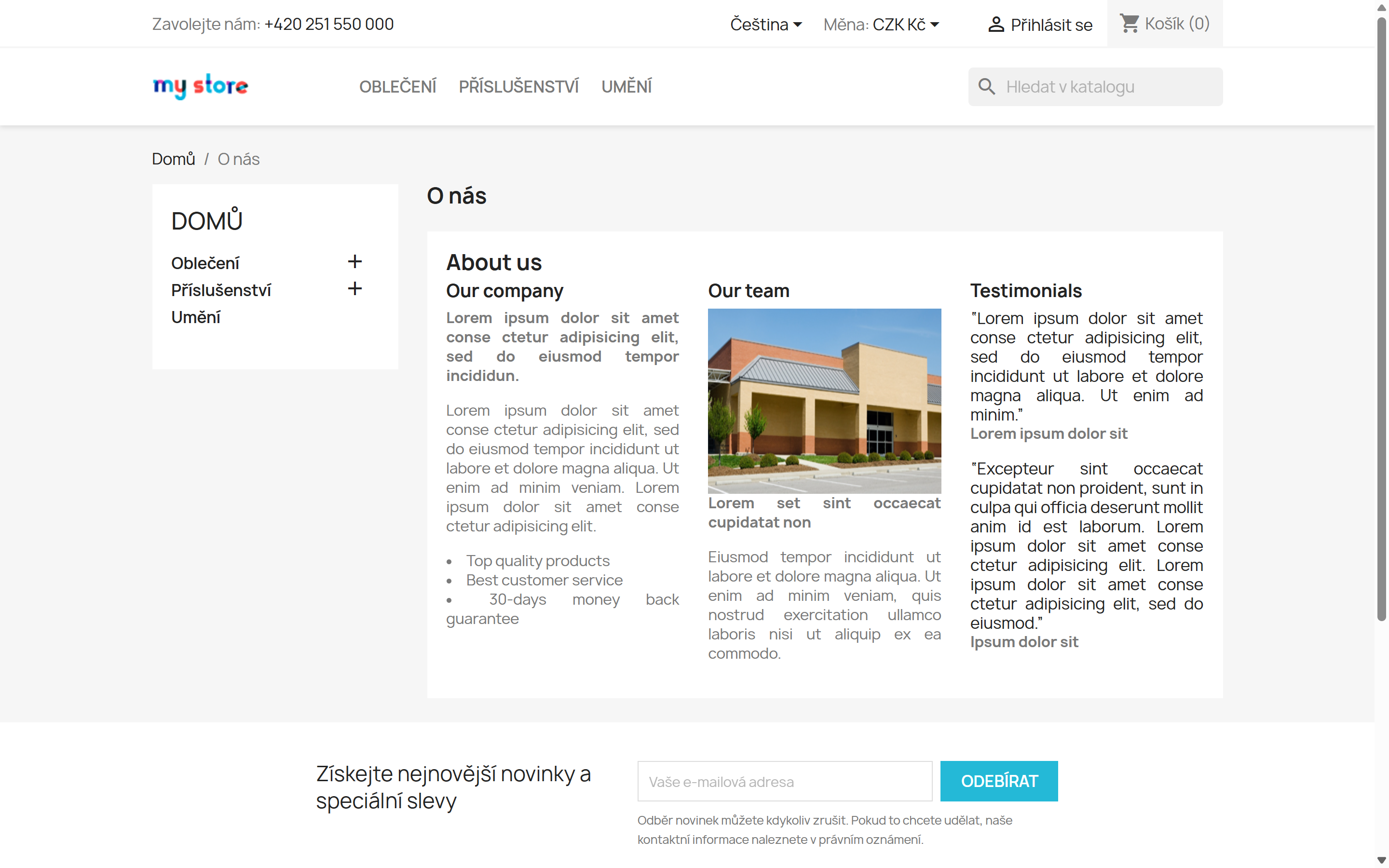
CMS page with a left sidebar

Store → About us

Full-width page

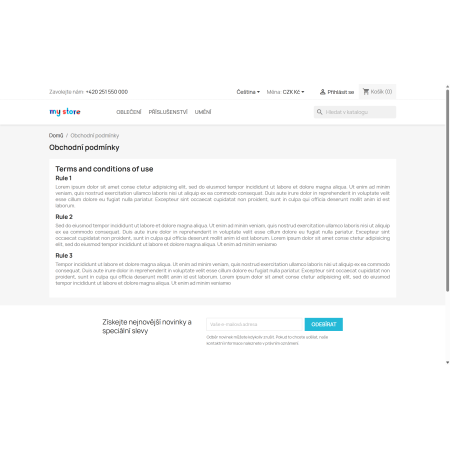
The terms and conditions have both sidebars turned off, so the text reads across the full width.
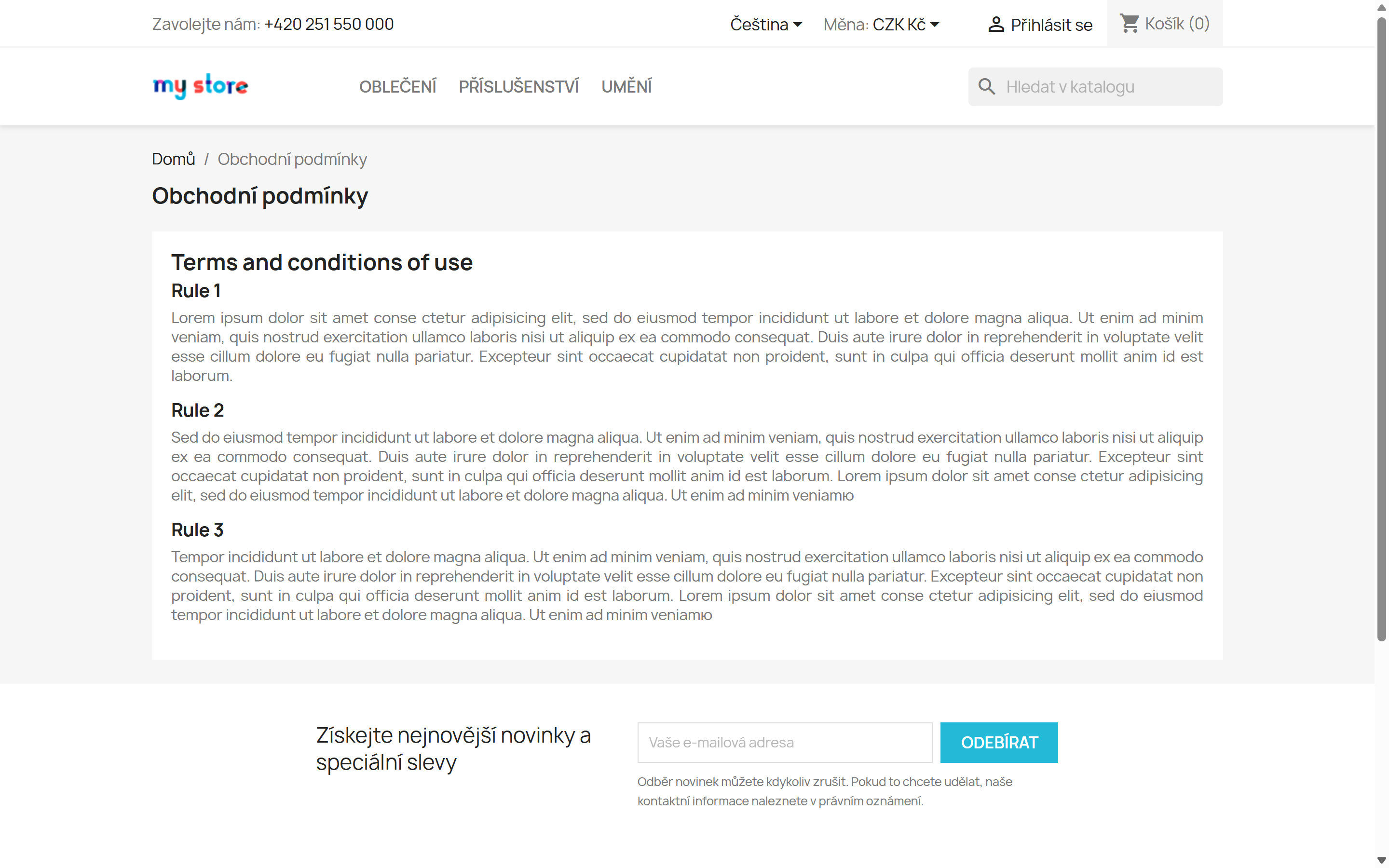
Full-width CMS page without sidebars

Store → Terms and conditions

Features

Everything the module can do

Sidebars

  • left sidebar for each CMS page
  • right sidebar for each CMS page
  • full width, left, right or both columns

Back office

  • overview of pages by CMS category
  • save all pages at once
  • PrestaShop 1.6, 1.7, 8 and 9
  • Czech, Slovak, Polish, German, English

Version history

  • 3.0.10 · 23 Nov 2026Fixed translations and texts in the module configuration.
  • 3.0.9 · 23 Nov 2026Core update: the settings now warn about missing data and confirm saving.
  • 3.0.8 · 22 Nov 2026Added missing translations and module core update.
  • 3.0.6 · 29 Jul 2026Fixed language version links that contained an unnecessary parameter.
  • 3.0.5 · 12 Apr 2026Minor fixes and improvements.

FAQ

Questions you ask us

Why can't PrestaShop do this on its own?

PrestaShop sets the layout by page type. All CMS pages are one type, so they share the same layout.

Does it work with my theme?

On PrestaShop 1.7 to 9, the module uses the theme's layouts for full width, left, right and both columns. The Classic theme and most other themes have them.

Does it override the setting in Theme & Logo?

For CMS pages, yes: the layout is determined by the module settings. Other pages are not affected.

Why is the sidebar empty?

Sidebar content comes from the modules in its position (for example the category tree). If there is no module in the position, the sidebar stays empty. In that case, turn it off for the page.

Does it work for products and categories too?

No, the module handles CMS pages only.

Can you help me with the setup?

Yes. You can order turnkey installation and setup with the module.

Parameters

Technical details

Module labelb4ncmssidebarconfiguration
Module version3.0.10
Prestashop version1.6, 1.7, 8, 9
Last update23. 11. 2026
License validityUnlimited in time
Support12 months
LocalisationCzech, English, German, Polish, Slovak
Minimum PHP version7.3
PHP Version7.3, 7.4, 8.0, 8.1, 8.2, 8.3

What the price includes

  • module for PrestaShop 1.6, 1.7, 8, 9
  • perpetual licence for 1 domain
  • 12 months of new versions to download in your account
  • 12 months of answers to your questions about the module by e-mail
  • help inside the module and a setup guide
  • invoice with VAT

Installation, setup and custom changes are a paid service. Custom development

Question about the module

Do you have a question about the module?

Tell us what you need to solve in your shop. We will advise whether the module helps you, how to set it up and what else you will need.

Product inquiry

Satisfaction
guarantee
Professional
approach
Technical
support
Online
payment

Get our latest news and special sales

You may unsubscribe at any moment. For that purpose, please find our contact info in the legal notice.