 New
New


New
Sends cash and card payments taken in a store or at a pickup point to the Czech Financial Administration (Finanční správa) as soon as you record them in PrestaShop. Your staff have nothing extra to do, sales are resent automatically after an outage, and you see the registration status on every order.
The support is extended by 12 months from the end of the current support, an expired one from the payment.
Installation, setup and custom changes are a paid service.
The extension is added to a licence in your account.
Sign inWhy now
The Czech Act No. 180/2026 Coll. brings back the registration of sales in a new form, EET 2.0. It applies to payments you accept in person: in cash, by card or by QR code in a store, at a pickup point or on your own delivery runs.
If you record such payments in PrestaShop, the module sends them to the Czech Financial Administration (Finanční správa) for you, stores the confirmation and makes sure none are left unsent.
Who it is for
An online store as such does not have to register sales. What matters is how your customers pay you.
The module follows your rules: whatever you do not have to register is never sent. Not sure? Write to us and we will advise you.
Benefits
The sale is sent automatically as soon as you mark the order as paid or picked up. No retyping into another cash register.
If the Financial Administration does not respond in time, the order completes normally and the sale is sent later from the queue. An outage on the state's side will not stop your sales.
How much you registered today, this week and this month, what is waiting and what failed. Each order shows its EET status and confirmation code.
You get an e-mail on errors, on sales not confirmed in time and before the certificate expires. Nothing catches you off guard.
It is stored encrypted, the encryption key is not in the database and the certificate password is never stored at all.
How it works
The module is triggered by a payment added to an order. Exactly the way you are used to.
in a store, at a pickup point or to the driver: in cash, by card or by QR code.
Change the order status to paid or picked up, or add the payment manually on the order detail page.
Following your rule, it picks the premises and cash register, signs the message with your certificate and sends it to the Financial Administration.
The receipt code (POK) is saved with the order. After an outage it resends the sale and can also send the details to the customer.
Rather not do it yourself? We will set it up for you.
Back office examples
Day-to-day operation is under Orders > EET 2.0, the settings are in the module configuration. Both are linked, and the top bar always shows which mode the module is running in.
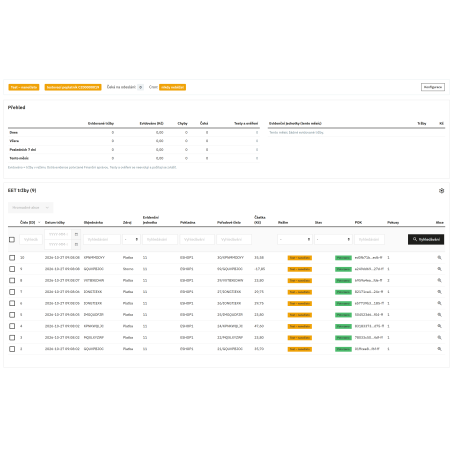
One page shows how much you registered today, yesterday, this week and this month, how many sales are waiting to be sent and where an error occurred. Filter the list of sales by date, order, cash register or status.
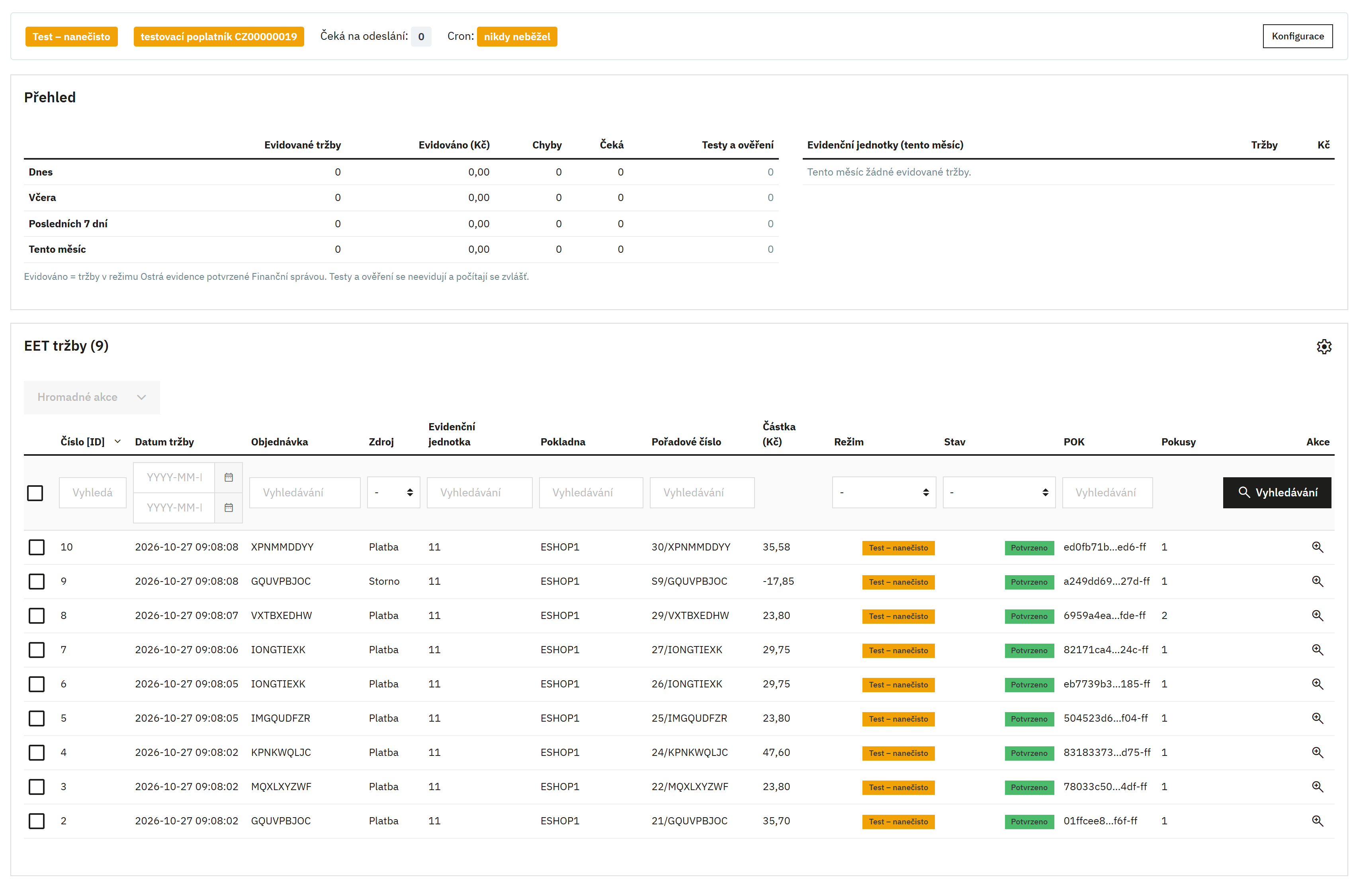
Orders > EET 2.0: period overview and list of sales
Assign each payment method the action Record (with premises and cash register) or Do not record. Rules work by payment module and by payment name, so they also cover payments added manually.
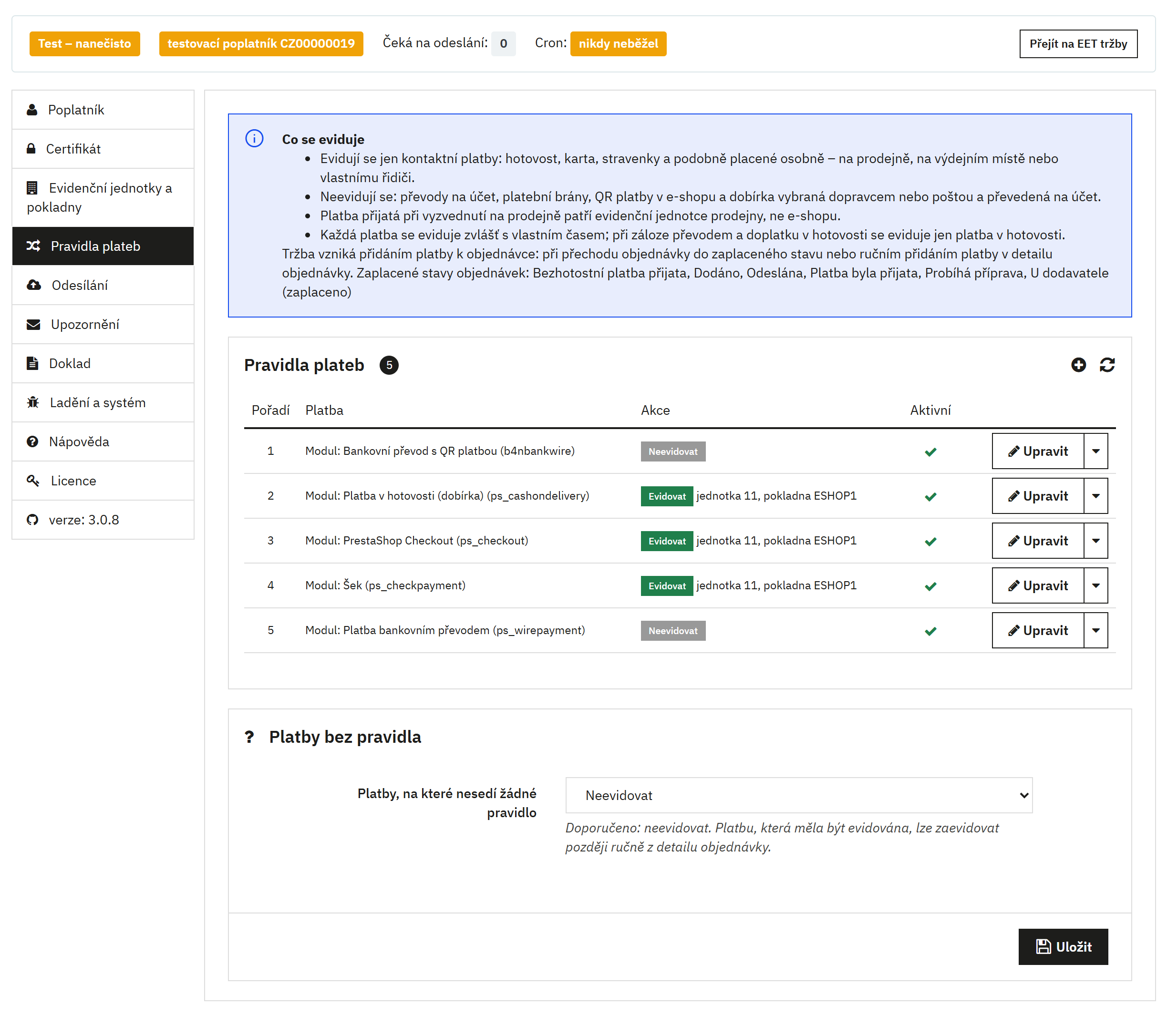
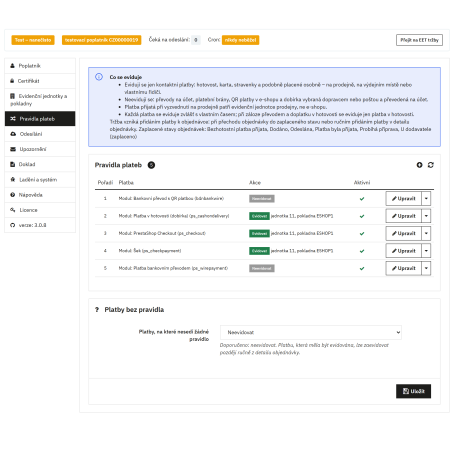
Configure > Payment rules
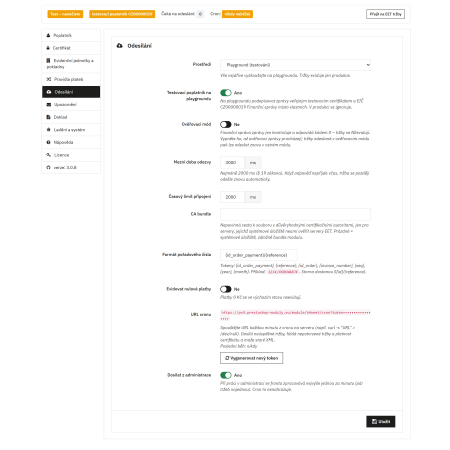
Set the response timeout, the sequence number format and resending. Sales that did not go through the first time are resent by the module from a cron job on your server or directly while you work in the back office.
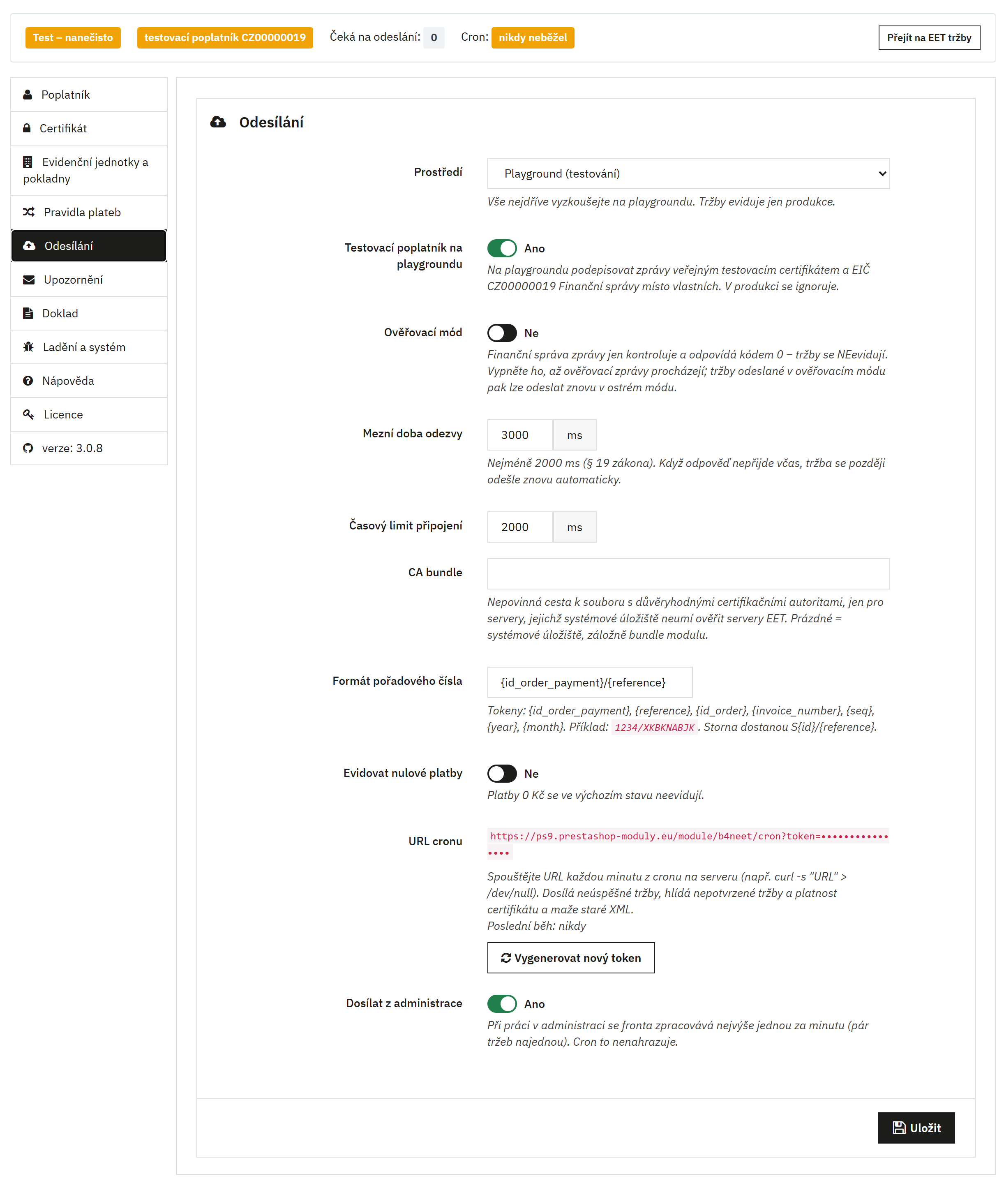
Configure > Sending
Upload the certificate from the MOJE daně portal as a file. The module checks that it belongs to your EIČ (EET taxpayer ID), and you verify the connection to the Financial Administration with one button.
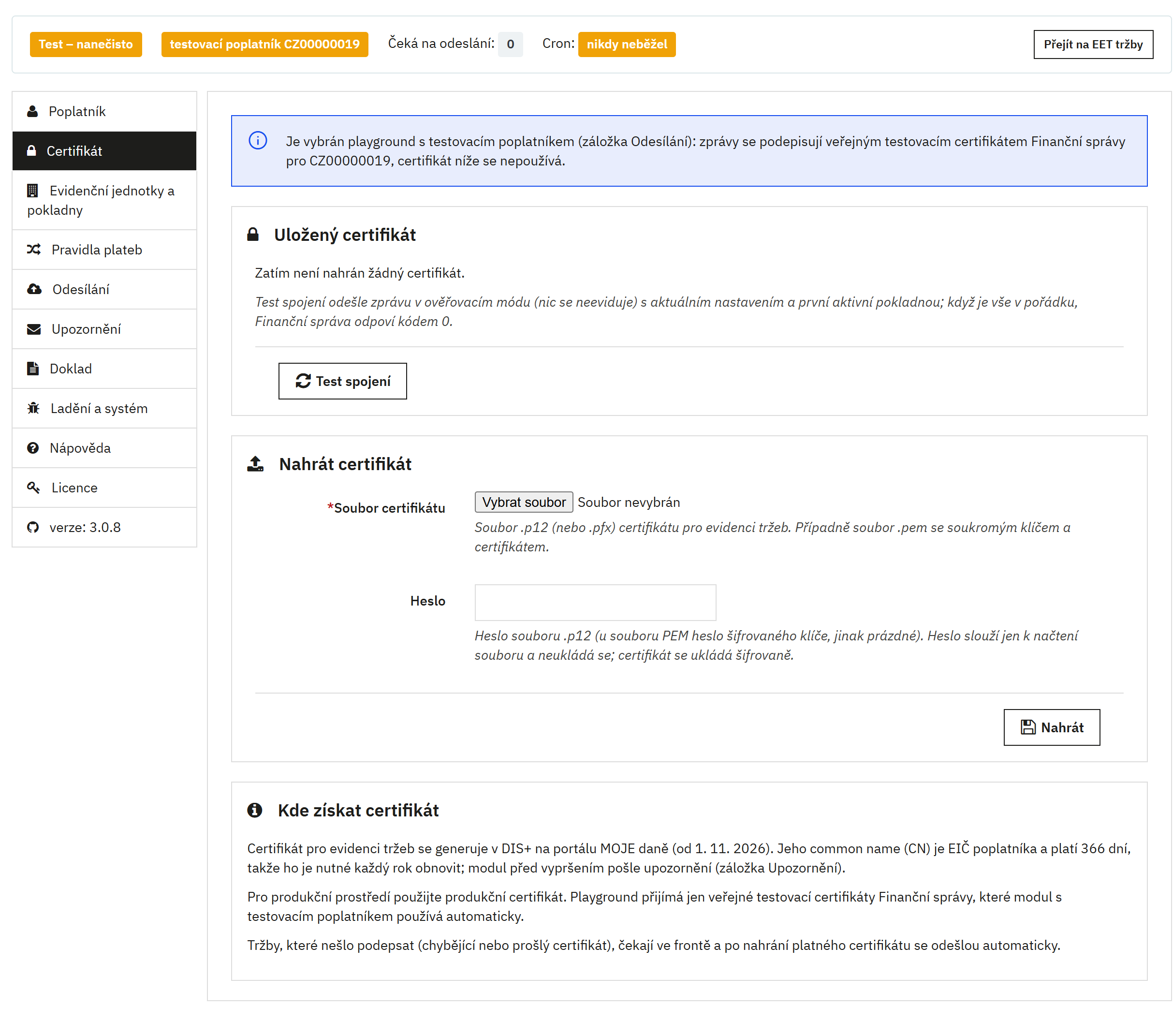
Configure > Certificate
The Czech Act on the Registration of Sales does not require a receipt, and you may show the POK code on a document voluntarily. If you want to give customers the EET details, the module can add them to the PDF invoice and to order e-mails, or send a separate e-mail right after the sale is confirmed.

Configure > Receipt
Safe start
Before you switch to live registration, run the whole process as a dry run. You will see exactly what will be sent, and you turn on live registration when you are ready.
The Financial Administration test environment with a test taxpayer. You do not even need your own certificate.
Your details and your certificate. The Financial Administration checks the messages, but nothing is registered.
Sales are registered and receive a confirmation code. You switch over with a single switch.
Features
Settings
The configuration is split into tabs with help for every field. You will find a detailed step-by-step guide in the manual.
FAQ
Only if you accept payments in person: in cash, by card or by QR code in a store, at a pickup point or by your own driver. Payments by bank transfer, via a payment gateway or cash on delivery collected by the post office or another postal service provider are not registered.
Yes. A card or QR code payment accepted in person in a store is a registered sale, just like cash. A card payment made online in the store is not registered.
Cash on delivery collected for you by the post office or another postal service provider is not registered. Cash collected by your own driver is. For courier services, check whether they are a postal service provider. In the module you then set the cash on delivery payment to Record or Do not record.
Regular EET 2.0 operation under Act No. 180/2026 Coll. starts on 1 January 2027. In January, registration runs in pilot mode, but according to the Financial Administration it will already count as standard registration. The module is ready now, so until then you can calmly try everything out as a dry run and in verification mode.
You generate the certificate for the registration of sales in the DIS+ application on the MOJE daně portal. It is valid for 366 days. The module reminds you by e-mail before it expires, and sales that cannot be signed in the meantime wait in the queue.
The order and the payment go through normally. The module puts the sale in the queue and sends it again as soon as the server is available. Late sending has a 48-hour deadline; the module tracks it and alerts you in time.
The Act on the Registration of Sales does not require you to issue a receipt, and you may show the POK code on a document voluntarily. An obligation to issue a document may, however, arise from other regulations, such as the Czech Consumer Protection Act or the VAT Act. If you want to give customers the EET details, the module adds them to the PDF invoice and to e-mails, or sends them in a separate e-mail.
If your POS system registers the in-store payments, set them to Do not record in the module so the sale is not registered twice. If you only record them in PrestaShop, for example when an order is picked up, the module sends them for you.
No. Invoices stay as they are and go to your accounting software as before. The module only sends in-person payments to the Financial Administration and stores the confirmations. It adds EET details to the invoice only if you turn that on.
No. EET 2.0 has a new interface and new certificates, and the original EET modules do not work with it. This module was written from scratch specifically for EET 2.0.
Yes. You can order turnkey installation and setup with the module: we install the module, upload the certificate, set up the premises and payment rules and test the whole process.
Parameters
| Module label | b4neet |
|---|---|
| Module version | 3.0.9 |
| Prestashop version | 1.6, 1.7, 8, 9 |
| Last update | 19. 11. 2026 |
| License validity | Unlimited in time |
| Support | 12 months |
| Localisation | Czech, English, German, Polish, Slovak |
| Minimum PHP version | 7.3 |
| PHP Version | 7.4, 8.0, 8.1, 8.2, 8.3 |
Installation, setup and custom changes are a paid service. Custom development
Question about the module
Tell us what you need to solve in your shop. We will advise whether the module helps you, how to set it up and what else you will need.
 EET 2.0 - Czech sales registration