

Payment modules and gateways
Module code
b4nfiotransactions
Module version
3.0.18
PrestaShop
1.6, 1.7, 8, 9
Updated
23. 11. 2026

FIO banka - payment matching

Downloads payments from your Fio banka account and matches them to orders by variable symbol and amount on its own. It switches paid orders to the status you choose and lets you know by e-mail about payments it cannot match.

  • No manual matching. A payment with the order number in the variable symbol matches itself.
  • Order status right after payment. You can ship a paid order straight away.
  • CZK and EUR. CZK and EUR accounts, each with its own token and amount tolerance.
  • Nothing slips through. Unmatched payments show up in the overview and arrive by e-mail.
What you are buying
€59.00
incl. VAT · 48,76 € excl. VAT

Perpetual licence for 1 domain · 12 months of updates and support included

What does the support include?
  • new versions of the module to download in your account
  • answers to your questions about the module by e-mail

Installation, setup and custom changes are a paid service.

€30.00 incl. VAT · €24.79 excl. VAT

The support is extended by 12 months from the end of the current support, an expired one from the payment.

What does the support include?
  • new versions of the module to download in your account
  • answers to your questions about the module by e-mail

Installation, setup and custom changes are a paid service.

The extension is added to a licence in your account.

Sign in
  • Download right after payment
  • We are VAT payers

What it solves

Bank transfers that match themselves

Checking the bank statement, looking up variable symbols and changing order statuses by hand eats up time every day. And the customer waits longer for shipping than they have to.

Using the official Fio banka API, the module downloads your account transactions, finds the order for each payment and changes its status. You just ship and deal with the exceptions it flags.

Who it is for

Is this module right for your store?

It is for you if

  • you have a Fio banka account in CZK or EUR,
  • customers pay by bank transfer with the order number as the variable symbol,
  • you want paid orders to switch status on their own,
  • you do not want to miss an underpayment or a payment without a symbol.

You do not need it if

  • your account is with a bank other than Fio,
  • you do not accept bank transfers,
  • you need to send payments from your store – the module only reads the account.

Benefits

Less manual work, faster shipping

Time saved every day

Payments are downloaded and matched automatically by a cron job. No more checking statements.

Paid status right away

A matched order switches to the status you choose, for example straight to ready for shipping.

Tolerance for small differences

For both CZK and EUR, set how much a payment may differ from the order and still be matched.

Alerts for exceptions

A payment without an order or with a different amount is not matched, and you get an e-mail about it.

Overview of all payments

A list of transactions with their matching status, filters and the details of each payment.

Read-only account access

A token with account monitoring permission is all it needs. The module sends nothing from your account.

How it works

From incoming payment to paid order

  1. The customer pays

    By bank transfer, with the order number in the variable symbol.

  2. The module downloads transactions

    A cron job fetches payments for the set number of days via the Fio banka API.

  3. It matches the payment

    By variable symbol or, failing that, a number in the message for the recipient, and by amount and currency.

  4. It changes the status or alerts you

    It switches the matched order and e-mails you about any unmatched payment.

What you do once

  • create an account monitoring token in Fio internet banking,
  • enter the token in the module,
  • choose which status paid orders switch to,
  • enable the cron job on your server.

Rather not do it yourself? We will set it up for you.

What the module then does on its own

  • downloads account transactions,
  • matches payments to orders,
  • changes the status of paid orders,
  • alerts you to unmatched payments.

What the module does not do

  • it does not work with accounts at other banks,
  • it does not send any payments from the account,
  • it does not renew the token – you keep track of its validity in your internet banking.
Examples

Examples

Payment overview and settings

Screenshots are from a test store running PrestaShop 9 with sample payments.

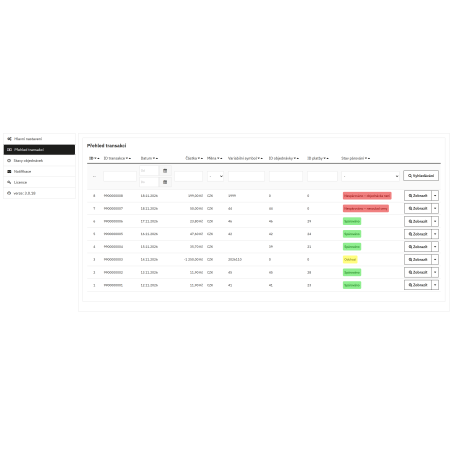
Transaction overview

All downloaded payments in one place: date, amount, currency, variable symbol, order and matching status. Colors show at a glance what is fine and what needs attention.
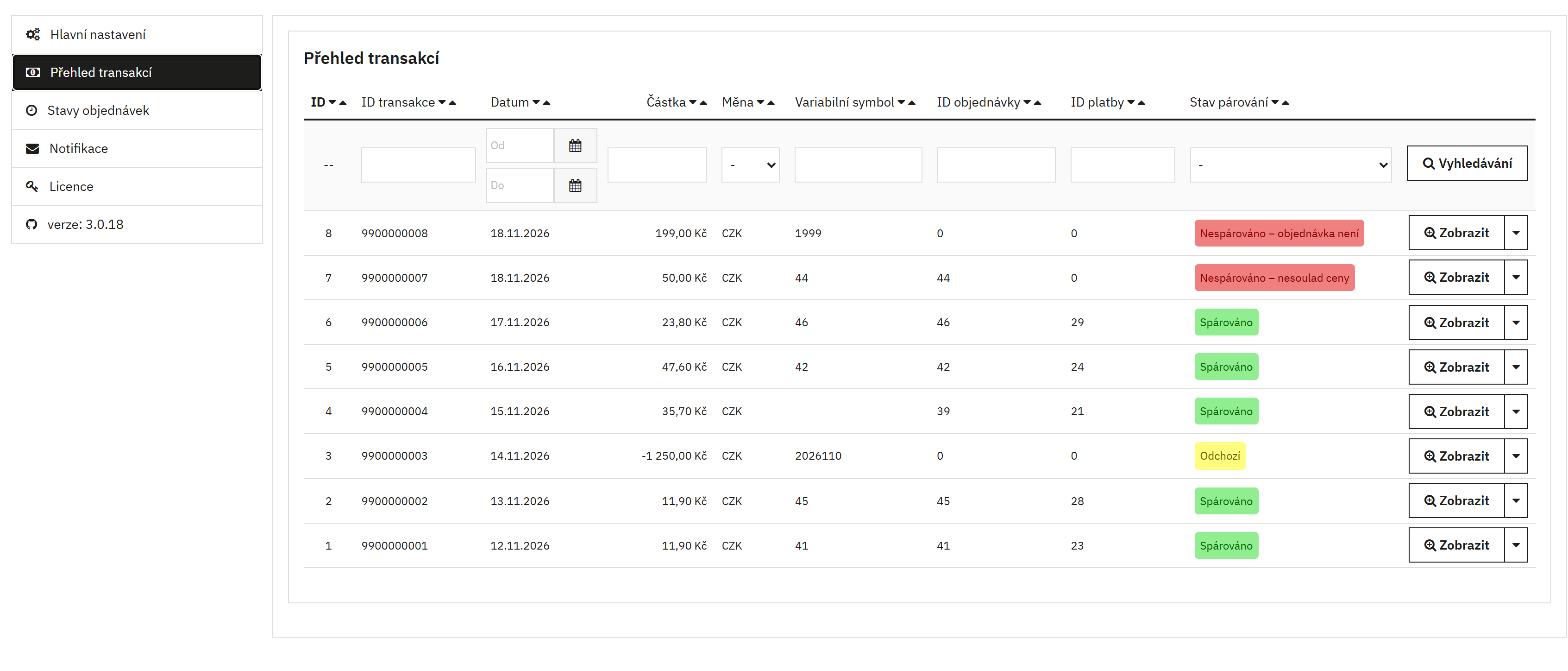
  • matched, price mismatch, order not found, outgoing,
  • filters by date, amount, symbol and status,
  • transaction detail with all data from the bank.
Overview of downloaded transactions with matching status

Configure > Transaction overview

Tokens, tolerance and cron

Enter a token for your CZK account, your EUR account, or both. Set an amount tolerance for each currency. The cron URLs are right in the settings.
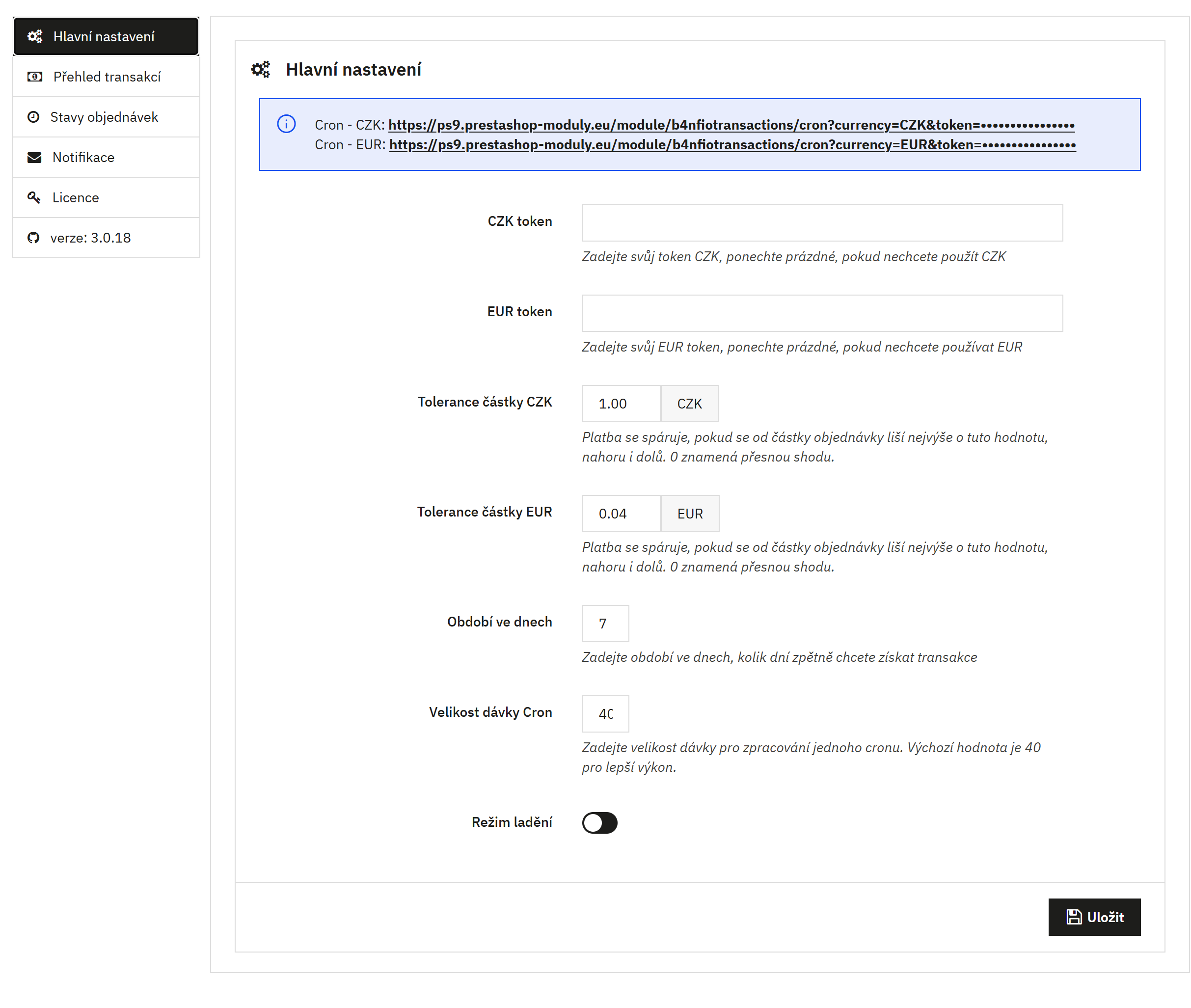
  • how many days back payments are downloaded,
  • batch size per cron run,
  • debug mode for troubleshooting.
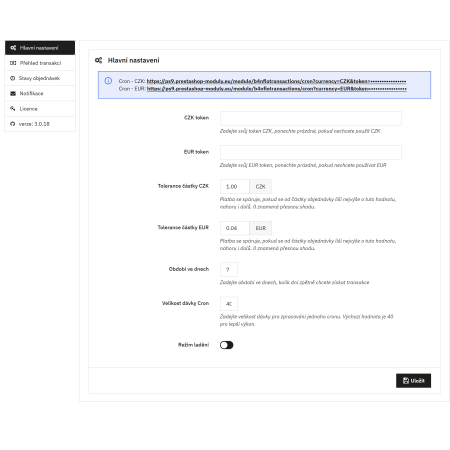
Main settings of the FIO banka module

Configure > Main settings

Order statuses after payment

For every status in which an order awaits payment, choose which status it switches to once matched. Optionally per carrier.
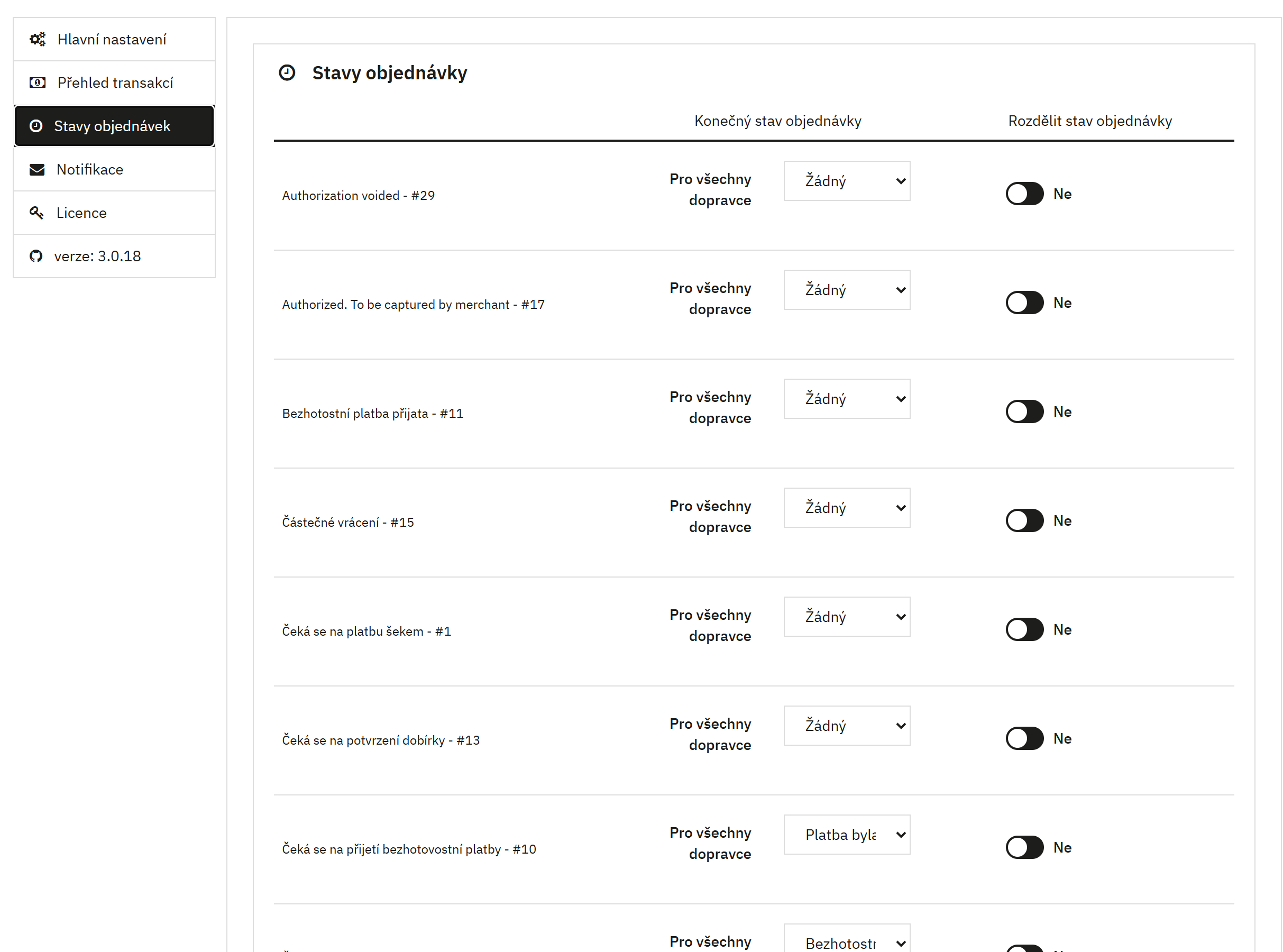
  • a different status for in-store pickup and for parcels,
  • statuses where nothing should change can stay as they are,
  • each initial status is set separately.
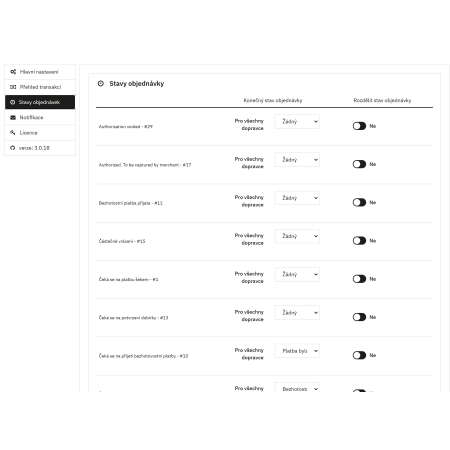
Order status settings after payment matching

Configure > Order statuses

Features

Everything the module can do

Downloading payments

  • official Fio banka API
  • CZK and EUR accounts
  • adjustable number of days back
  • a separate cron job for each currency

Matching

  • by variable symbol (order number)
  • fallback: by a number in the message for the recipient
  • amount and currency check
  • amount tolerance for each currency

Orders and alerts

  • status change after matching
  • statuses per carrier
  • e-mail about unmatched payments
  • transaction overview with filters and details

Technical details

  • read-only account token
  • PrestaShop 1.6, 1.7, 8 and 9
  • Czech, Slovak, Polish, German, English

Settings

Settings at a glance

  1. Main settingsCZK and EUR tokens, amount tolerance, number of days and cron URLs.
  2. Transaction overviewDownloaded payments and their matching status.
  3. Order statusesWhich status a paid order switches to, also per carrier.
  4. NotificationsWho gets an e-mail about an unmatched payment.

Version history

  • 3.0.18 · 23 Nov 2026Corrected labels in the transaction overview.
  • 3.0.17 · 23 Nov 2026Core update: the settings now warn about missing data and confirm saving.
  • 3.0.16 · 22 Nov 2026Module core update.
  • 3.0.15 · 18 Nov 2026Formatted amount and translated Back button in the transaction detail.
  • 3.0.14 · 16 Sep 2026Fix of an error that stopped automatic payment pairing in PrestaShop 8.

FAQ

Questions you ask us

Can the module send a payment from my account?

No. All it needs is a token with “account monitoring” permission, which can only read transactions. The module sends nothing from your account.

Where do I get the token?

In Fio internet banking, under Settings on the API tab. The token is confirmed with strong authentication, and one token belongs to one account. A token is valid for up to 180 days and, according to Fio banka, is extended when you log in to internet banking.

What if the customer leaves out the variable symbol?

The module tries to find the order number in the message for the recipient. If it cannot find the order, it marks the payment as unmatched and sends you an e-mail.

What about underpayments or overpayments?

A payment is matched only if it differs from the order by no more than the tolerance you set. Otherwise it shows up as “price mismatch” and you get an alert.

Does it work with euros?

Yes. For a EUR account, enter a separate token and set its own tolerance. Payments are only matched to orders in the same currency.

How often are payments downloaded?

As often as you run the cron job. Fio banka allows one request per token every 30 seconds; a cron job every few minutes up to once an hour is usually enough.

Can I use the same token in my accounting software?

We recommend a separate token for your store. Because of the 30-second limit per token, requests from both applications could block each other.

Can you help me with the setup?

Yes. You can order turnkey installation and setup with the module: we set up the token, order statuses and cron job, and test the matching.

Parameters

Technical details

Module labelb4nfiotransactions
Module version3.0.18
Prestashop version1.6, 1.7, 8, 9
Last update23. 11. 2026
License validityUnlimited in time
Support12 months
LocalisationCzech, English, German, Polish, Slovak
Minimum PHP version7.3
PHP Version7.3, 7.4, 8.0, 8.1, 8.3

What the price includes

  • module for PrestaShop 1.6, 1.7, 8, 9
  • perpetual licence for 1 domain
  • 12 months of new versions to download in your account
  • 12 months of answers to your questions about the module by e-mail
  • help inside the module and a setup guide
  • invoice with VAT

Installation, setup and custom changes are a paid service. Custom development

Question about the module

Do you have a question about the module?

Tell us what you need to solve in your shop. We will advise whether the module helps you, how to set it up and what else you will need.

Product inquiry

Satisfaction
guarantee
Professional
approach
Technical
support
Online
payment

Get our latest news and special sales

You may unsubscribe at any moment. For that purpose, please find our contact info in the legal notice.